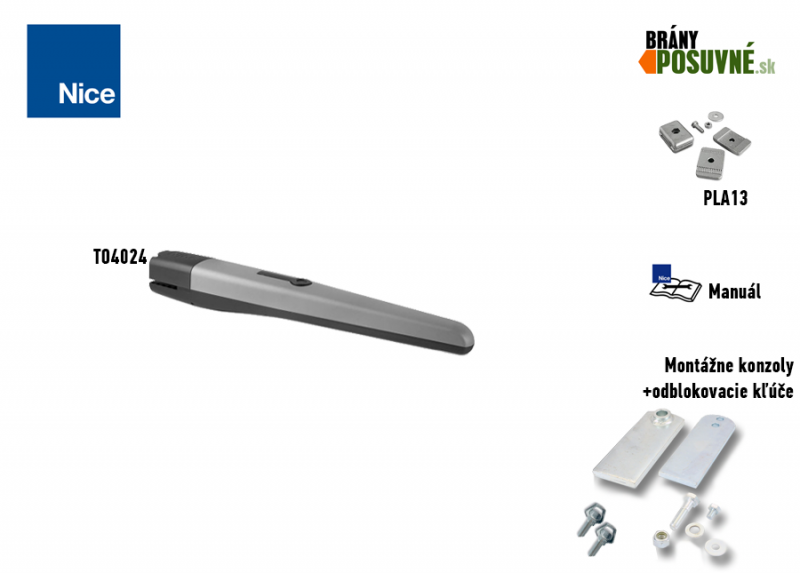
NICE Toona TO4024 – standalone 24 V motor for a gate leaf up to 3 m
| Product availability: | In stock | We normally dispatch goods within 24 hours. |
|---|

In stock
€205.38 including VAT
| Weight |
|---|
| 8,40 kg |
Description of NICE Toona TO4024 – standalone 24 V motor for a gate leaf up to 3 m
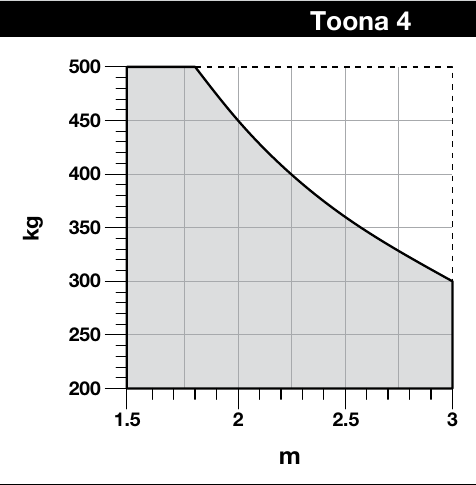
NICE Toona 4 TO4024 is a standalone 24 V DC motor for one gate leaf. According to the NICE chart, at a length of 3 m, it can handle a maximum of approximately 300 kg; the weight of 500 kg applies to lengths up to approximately 1.8 m. Consider the length and weight together.
The operator is non-reversible, uses an encoder and has an adjustable mechanical opening stop. For current standard TO4024 kits, the catalogue lists MC824HR30. Mains power, BlueBUS, the radio receiver and battery are features of the selected control unit, not the motor itself.
The Toona has a two-piece die-cast aluminium body with a surface finish, internal parts made of steel, alloys and technopolymers, and a bronze lead nut. The mounting dimensions are compatible with older NICE Moby and Pluto operators. The motor is also suitable for more frequent use; with a solid gate infill and in a windy location, account for the higher load when choosing based on the service life chart.
With a setup using MC824HR30 position learning, diagnostics, slow-down, pause time and pedestrian opening are functions of the control unit. It uses BlueBUS for the relevant safety devices.
| Quick navigation on this page | ||
|---|---|---|
| Package contents | Selection and limits | Kits |
| Accessories | Manual | Service life |
| Installation | Wiring | Stop |
| Photo gallery | Release | Specifications |
Accessories compatible with the NICE Toona 4 TO4024 operator
We also recommend purchasing the following compatible optional accessories for the operator:
| What | Why | Type |
|---|---|---|
|
Control unit
|
The operator's control electronics. |
|
| Signals gate movement. An antenna is included only on models where it is explicitly specified; the choice of beacon depends on the output of the control unit used. |
The FLASH output on the MC824HR30 is designed for a 12 V light, up to 21 W. Choose a different beacon only after checking its voltage, power type, power consumption and flashing mode. |
|
| Monitor the area between the transmitter and receiver. When the beam is interrupted, they send a signal to the control unit; its response depends on the wiring and settings. After installation, check their correct positioning and operation with the complete gate system. | ||
| Choose a remote control based on the receiver and coding used in the specific control unit. | ||
| The receiver must support the encoding used by the selected transmitter; OXIBD and OXILR are not interchangeable with all the remote controls listed. |
|
|
| For improved remote-control range. | ||
| If you forget your remote control, or have many vehicles/users and don't want to issue a remote control to everyone. | ||
| Operate the gate with a key using a switch wired to the control unit. | ||
|
Electric locks
|
The lock holds the gate leaf in the closed position. The control unit must release it before opening; check suitability and voltage for the gate and specific control unit. |
|
| Operate the drive by presenting a card or key fob to the reader. |
|
|
| Powers the automation system during a power outage via a compatible control unit; the choice depends on the revision of its circuit board. |
|
| The drive includes: | Code | |||
|---|---|---|---|---|
 |
1 × | NICE Toona 4 TO4024 motor |
TO4024 |
|
|
Toona 4 electromechanical motor; approx. 500 kg for a leaf up to 1.8 m long or 300 kg at 3 m, according to the NICE chart. |
||||
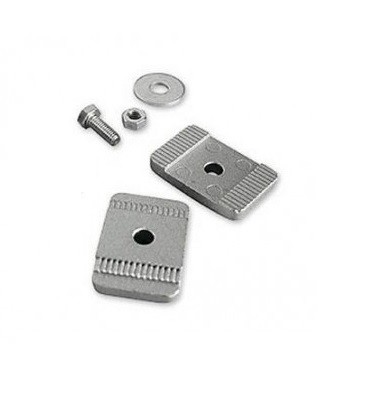 |
1 × | Internal mechanical opening stop | PLA13 | |
|
The internal stop is used to set the open end position. Arrange mechanical locking of the gate in the closed position according to the specific installation. |
||||
 |
2 × | Release key | CM-B | |
|
In the event of a power failure, use it to release the drive so the gate can be moved manually by pushing or pulling. |
||||
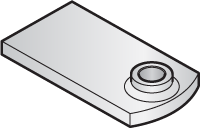 |
1 × | Weld-on front bracket | PMDSMAR04.4610 | |
|
Weld it to the fixed part of the gate leaf. Note: it is positioned at a different height from the rear bracket. An alternative screw-on bracket is the PLA8. |
||||
 |
1 × | Front bracket pin | R8.5120 Washer V8X10.5102 Pin |
|
|
Used to attach the front end of the drive to the front bracket. |
||||
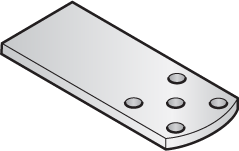 |
1 × | Weld-on rear bracket | PMDSMP.4610 | |
|
Weld it to the mounting screw plate or a steel post. Note: it is installed at a different height than the front bracket. The alternative extended bracket is PLA6. |
||||
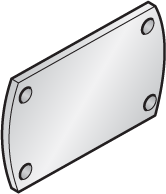 |
1 × | Mounting plate for the rear bracket | PMDPA.4610 | |
|
The rear bracket is welded to it. The mounting plate is then fixed to a post or wall. |
||||
 |
2 × | Rear bracket pin | D10.5110 Nut R10.5120 Washer V10X40.5101 Pin |
|
|
Used to attach the rear of the drive to the rear bracket. |
||||
 |
1 × | NICE Toona 4 TO4024 installation manual | Download | |
|
Slovak and Czech installation manual for the Toona motor. Refer to the control unit's own manual for wiring and programming instructions. |
||||
Important: A standalone TO4024 requires a compatible control unit, such as the MC824HR30, and safety devices appropriate for the installation. Find equipment options and the price of a complete automation system in the kits with this motor.
(Is this drive right for me?)
Compare it with other drives:
For older models, check current availability and compatibility of the mounting dimensions.
Discounted kits containing a drive NICE Toona 4 TO4024:
| Single-leaf gate kit » | Double-leaf gate kit » |
|---|---|
|
Toona drive, max. 500 kg at 1.8 m or 300 kg at 3 m, control unit, remote control, receiver. |
2 × Toona drives, max. 500 kg at 1.8 m or 300 kg at 3 m, control unit, remote control, receiver. |
| Single-leaf gate kit with photocells » | Double-leaf gate kit with photocells » |
|
Toona drive, max. 500 kg at 1.8 m or 300 kg at 3 m, control unit, remote control, receiver, photocells, warning light. |
2 × Toona drives, max. 500 kg at 1.8 m or 300 kg at 3 m, control unit, remote control, receiver, photocells, warning light. |
| Single-leaf gate kit with accessories » | Double-leaf gate kit with accessories » |
|
Toona drive, max. 500 kg at 1.8 m or 300 kg at 3 m, control unit, remote control, receiver, photocells, warning light. |
2 × Toona drives, max. 500 kg at 1.8 m or 300 kg at 3 m, control unit, remote control, receiver, photocells, warning light. |
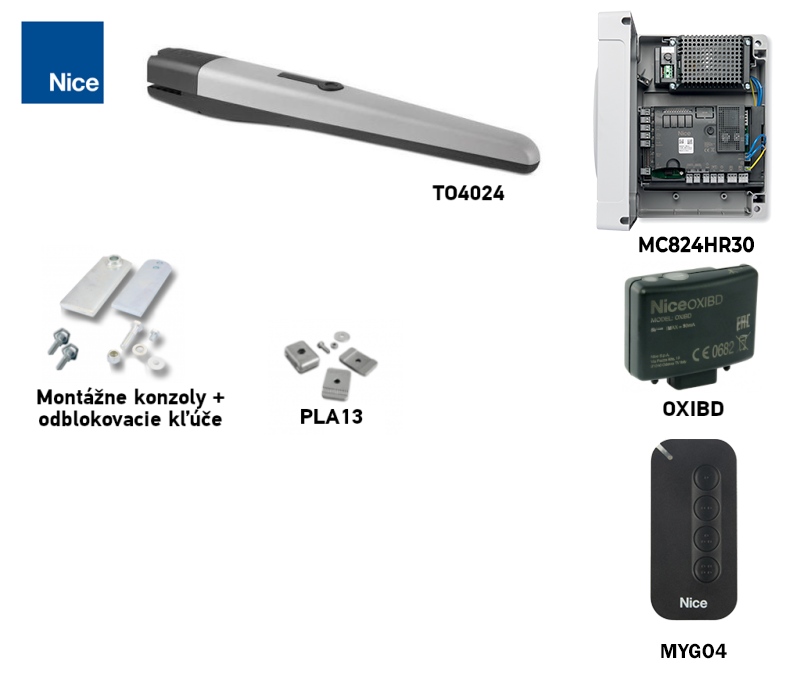
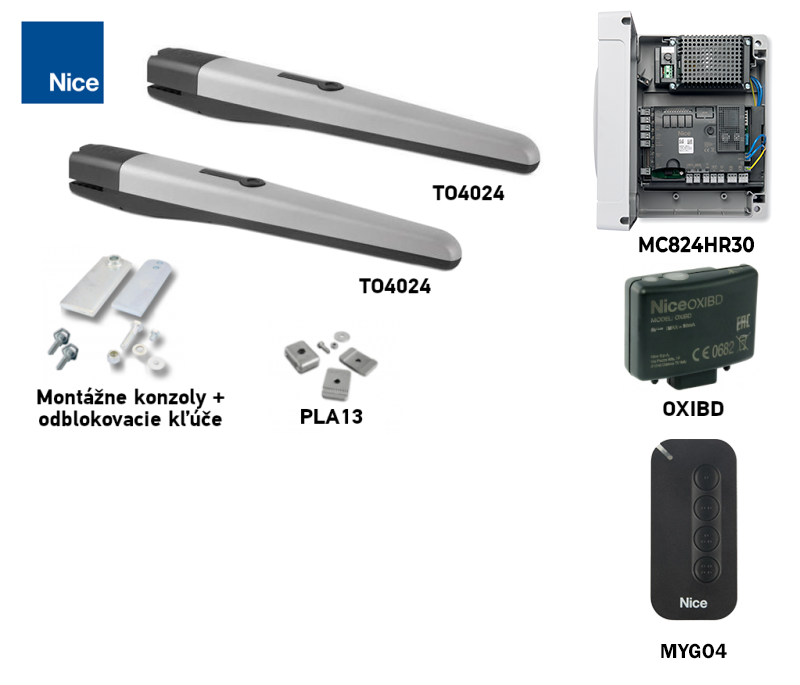
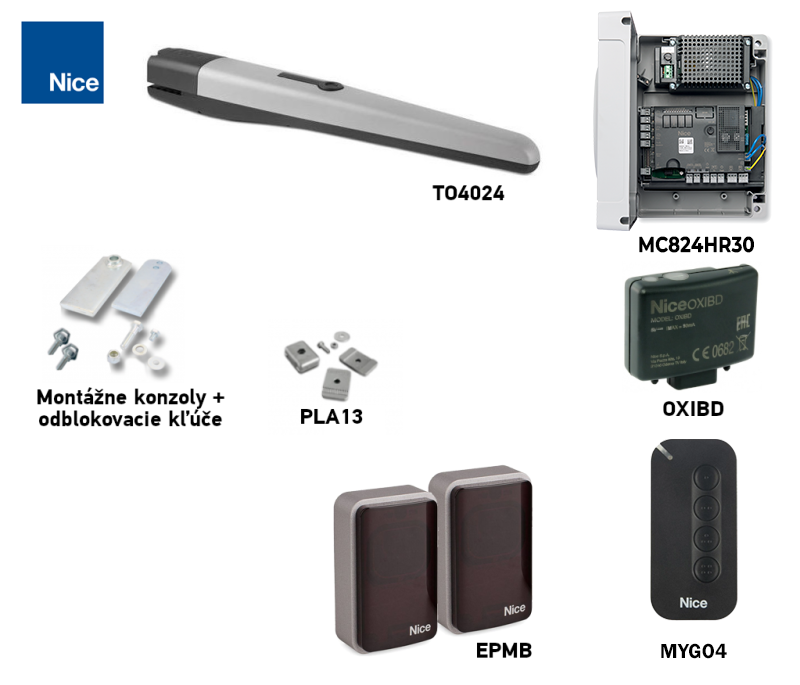
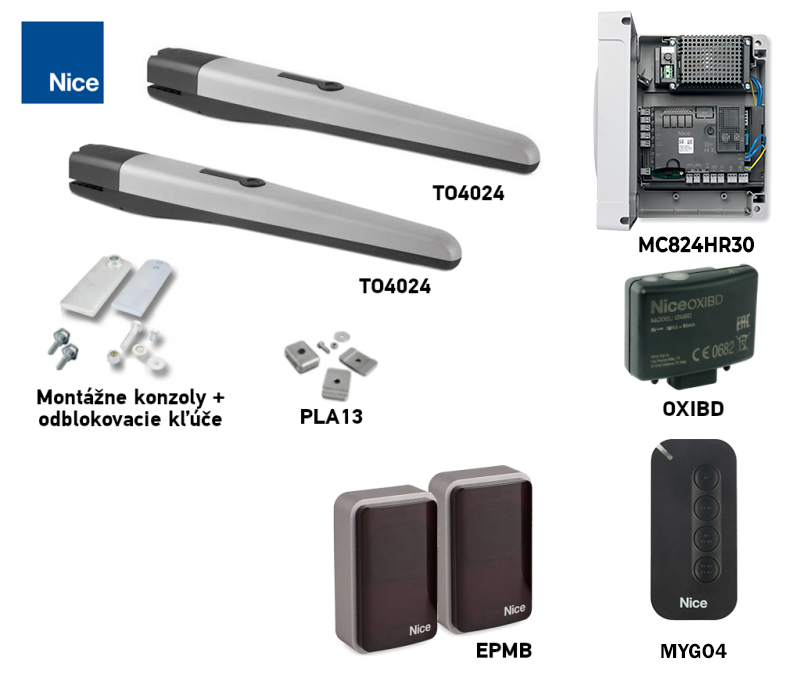
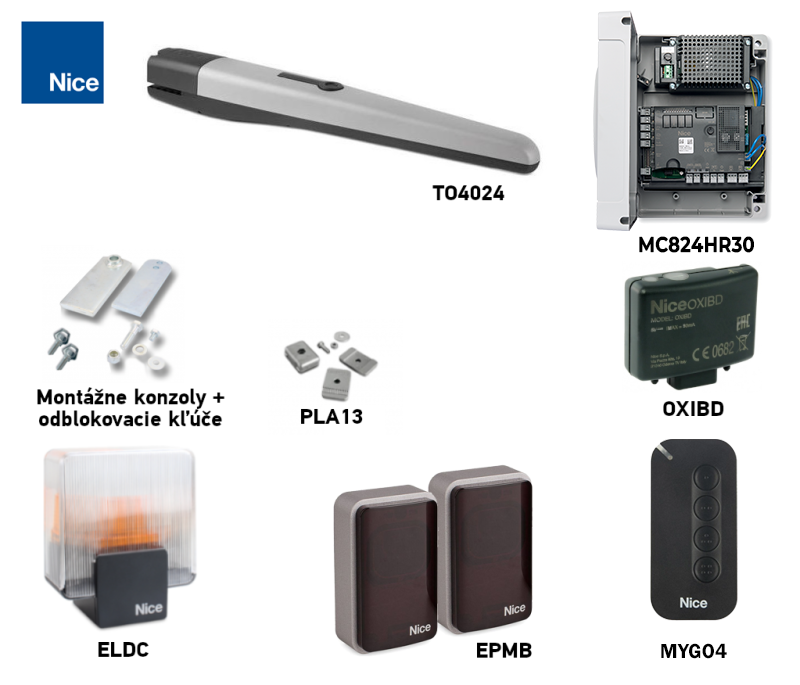
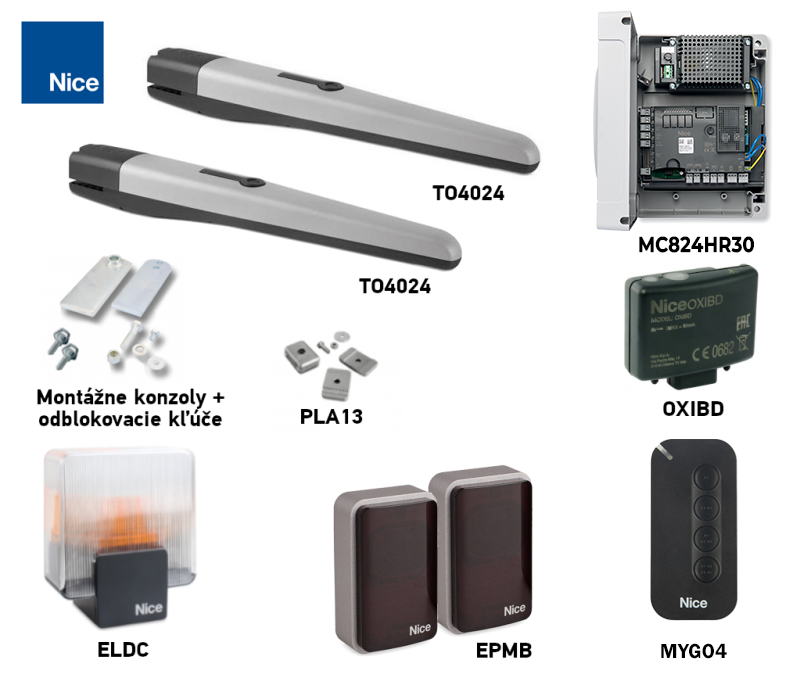
In kits with With the MC824HR30, remote control pairing is handled by the receiver and the control unit's pairing procedure.. For another control board, follow its own procedure.
Choosing a drive – is the NICE Toona 4 TO4024 right for my gate?
Leaf length and weight limits
Assess the length and weight of each gate leaf together, using the NICE chart. For a length of up to 1.8 m the leaf can weigh approximately 500 kg; at a length of 3 m approximately 300 kg. The 3 m and 500 kg values do not apply at the same time. For other dimensions, read the permitted weight from the chart and also take into account a solid infill, wind exposure, and smooth gate movement.
NICE Toona 4 TO4024 operator lifespan
Lifespan is an estimate based on the stress index, not a guaranteed number of cycles. Add the applicable values from the table and read the result from the original NICE graph.
| Characteristics of the complete automation system | Index | Lifespan graph |
|---|---|---|
| Effect on Toona 4 index | 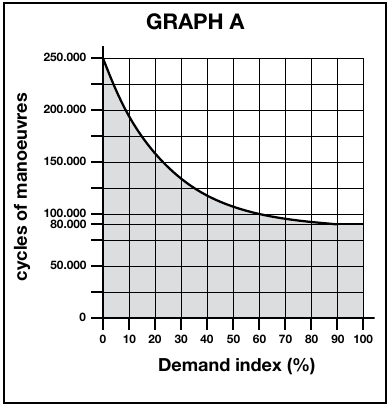 | |
|
Leaf weight up to 200 kg
|
0 % | |
|
Weight over 200 up to 300 kg
|
10 % | |
|
Weight over 300 up to 400 kg
|
20 % | |
|
Weight over 400 up to 500 kg
|
30 % | |
|
Leaf length from 2 to 3 m
|
20 % | |
|
Temperature above 40 °C, below 0 °C, or humidity above 80 %
|
20 % | |
|
Solid infill
|
15 % | |
|
Wind exposure
|
15 % | |
| Lifespan graph |
|---|
Use the weight of one leaf. For example, for 250 kg, 2.5 m, and no other factors, the index is 10 % + 20 % = 30 %; read the estimated cycles from the graph.
Installing the NICE Toona 4 TO4024 operator
Before mounting, check that the post, its foundation, and its anchoring can withstand loads from the gate leaf, operator, and wind. The profile dimensions alone do not determine suitability: the material, wall thickness, height, hinge position, and foundation condition also matter.
If the hinge position and post shape do not allow the dimensions in the installation graph to be used, adjust the rear bracket or use the extended PLA6 bracket. Determine dimensions A and B from the measured C and the required opening angle, using the NICE installation graph. Opening outward requires an extended rear bracket; determine its length from the graph and check that the gate leaf moves freely.
A typical (optional) operator wiring configuration with accessories looks as follows:
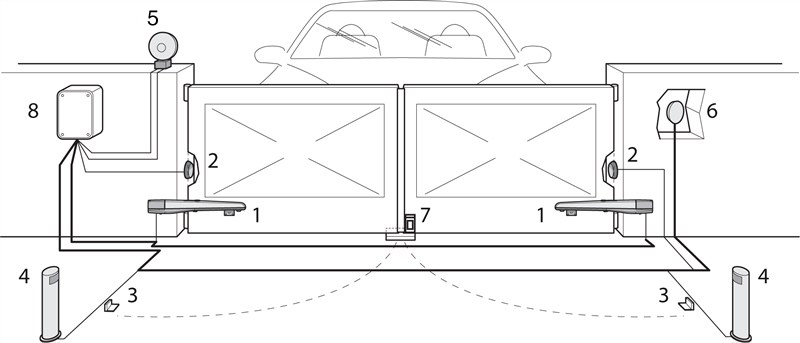
Accessories list
|
NICE Toona TO4024 operator wiring
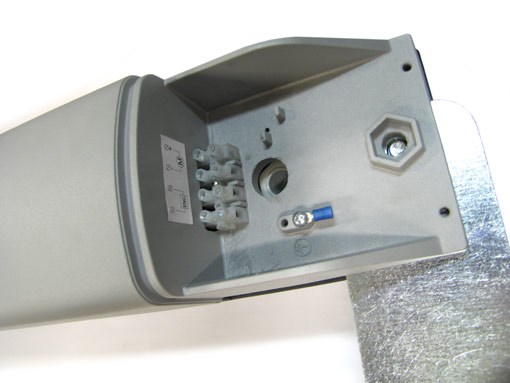
With both mains power and the backup battery disconnected, route the cable through the operator cable entry. The TO4024 has marked + / − motor terminals and a separate pair of encoder terminals; their location is shown in the image below. With the current MC824HR30 control unit, connect the single motor to M2 and its encoder to ENC motor 2; leave M1 unused. The encoder has no specified polarity. The M2 output is for the motor, not for powering accessories. For two motors or a different control unit, follow the diagram for the board actually installed. After wiring, perform the required learning procedure and check the gate direction and safe operation.
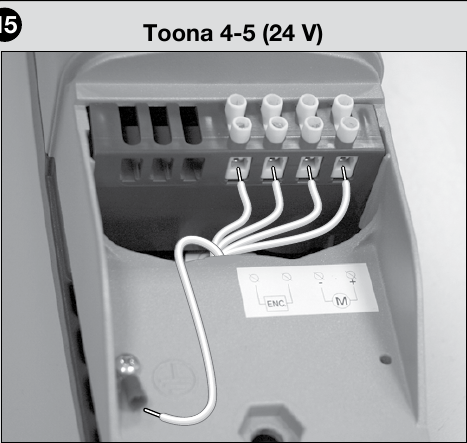
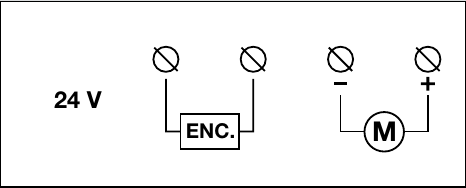
Board wiring and setup MC824HR30 use only in a setup with this actual control unit.
Accessory wiring for the MC824HR30
The following terminals belong to the MC824HR30 control unit, not to the TO4024 motor. Connect them only with both mains and battery power switched off. For a different board, use its own wiring diagram.
| What | Connection and polarity |
|---|---|
|
Photocells and BlueBUS devices
|
A compatible pair, for example EPMB, is connected with two wires to the BlueBUS. + and − are not polarity-sensitive. Set the photocell address and run device learning after adding or removing a device. |
|
Key switch or receiver relay
|
Voltage-free NO contact to the pair of terminals SbS (step-by-step command), or to the pair of terminals Open or Close depending on the required command. Do not apply an external voltage to the command input. |
|
Safety edge / STOP
|
The STOP input accepts an NO or NC contact, or an output with a resistance of 8.2 kΩ. After changing the wiring, perform learning; the contact type must match the device actually installed. |
|
ELDC beacon
|
Connect to the FLASH: in beacon mode 12 V DC, max. 21 W. For accessories marked +/−, follow the markings and the control board wiring diagram. |
|
Electric lock
|
Output ELS is in lock mode 12 V AC, max. 15 VA. The AC output has no fixed +/− polarity; check the lock label to ensure it is compatible. |
|
Open gate indicator light
|
Output OGI is designed for 24 V, max. 4 W. For a polarized indicator light, follow the markings on the board and the indicator. |
|
Reader / external module power supply
|
Auxiliary power: terminal STOP = −, terminal SbS = +, maximum combined current 200 mA. The voltage is 24 V DC with a tolerance of −30% to +50%; check the module's permitted voltage and current consumption before connecting it. Wire its command relay contact separately as a volt-free contact. These terminals remain powered even in Stand-by mode. |
|
Radio receiver and backup battery
|
Receiver OXIBD plugs into the SM; the PSS324 into its connector. They must not be connected to the M2 output or BlueBUS. |
The FLASH, ELS and OGI outputs can be reprogrammed for a different function. Before wiring, check the settings for the specific control unit in the MC824HR30 technical manual and test the safety devices after installation.
I. Installing the rear mounting bracket
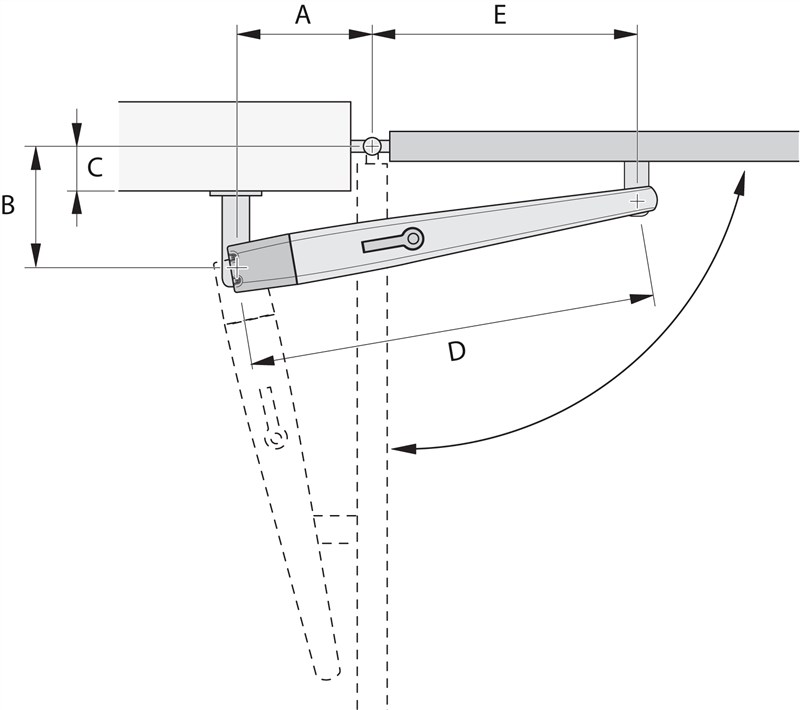
Inward opening diagram
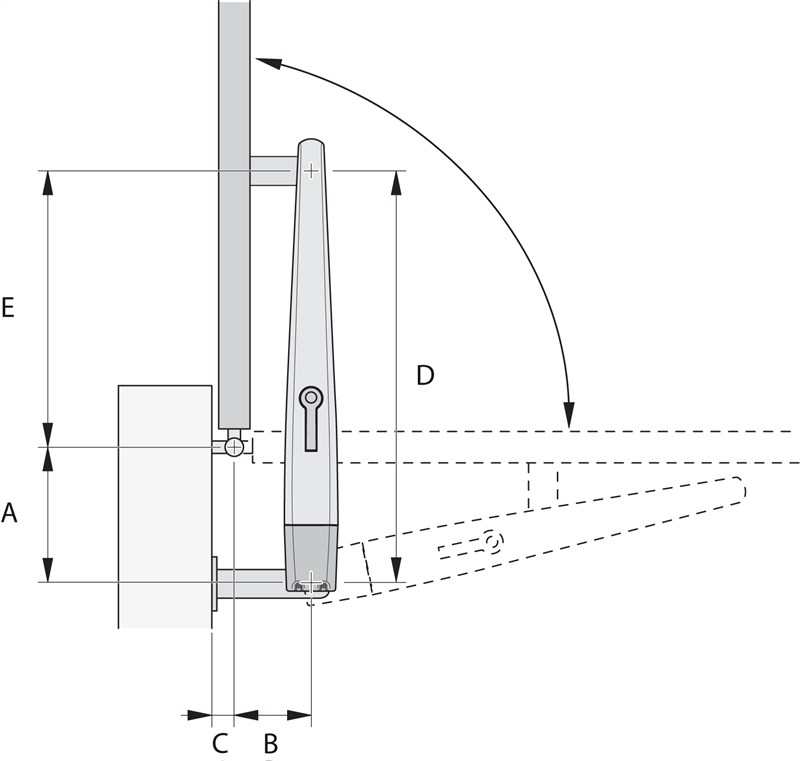
Outward opening diagram
Calculate the position of the rear bracket using the Graph, which provides the dimensions A and B and maximum opening angle. Note that A and B must be similar (ideally identical) to ensure smooth, linear movement of the actuator.
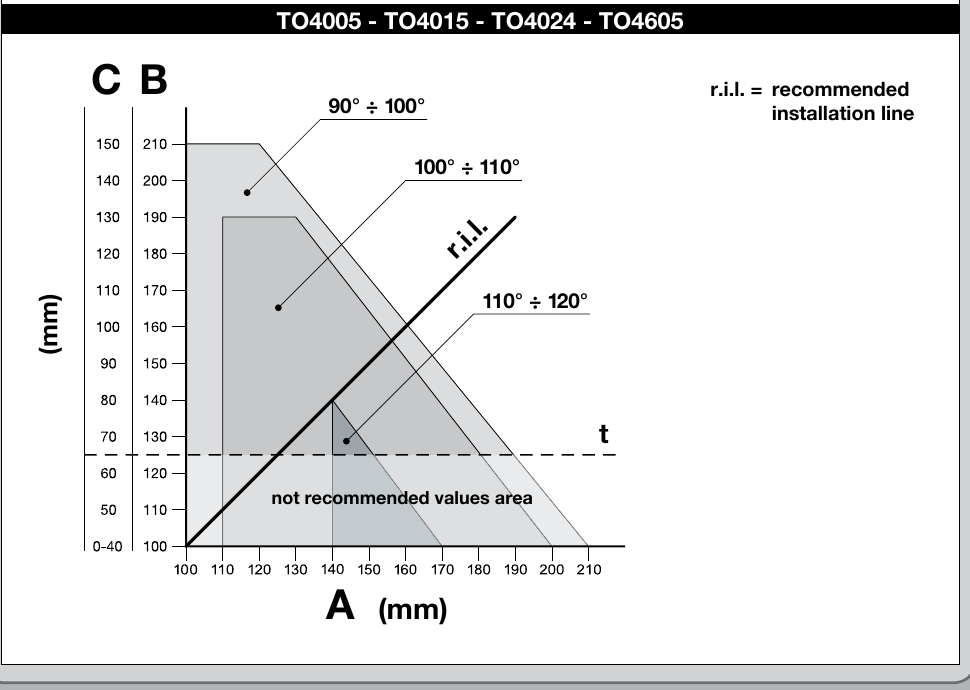
Calculation graph
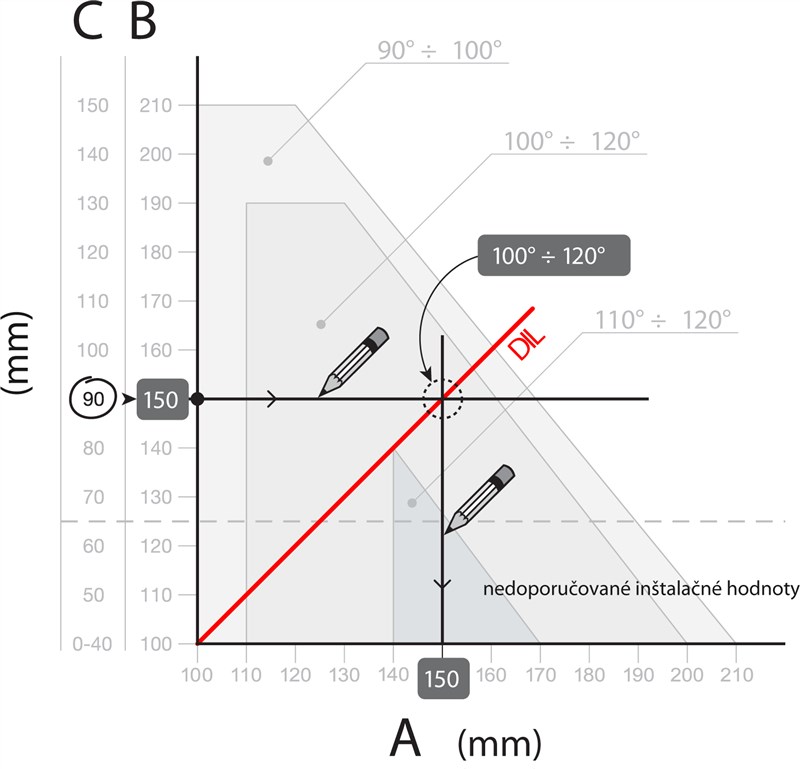
Example of reading values from the graph
Calculation procedure:
- Measure the distance C from the Diagram
- On the Graph draw a horizontal line crossing the measured value C
- Where this line intersects the DIL (Recommended Installation Line), you can determine the maximum opening angle
- If the intersection is below level t, you will need to adjust the values to move the intersection above this level
- If the intersection is above level t, everything is fine; however, if the specified maximum opening angle is unsuitable, you will need to adjust the value of A and, if necessary, the value of B, so that they are similar (ideally identical)
Before fixing the bracket to a post or wall, cut it to the required length to match dimensions A and B and weld it to the mounting plate.
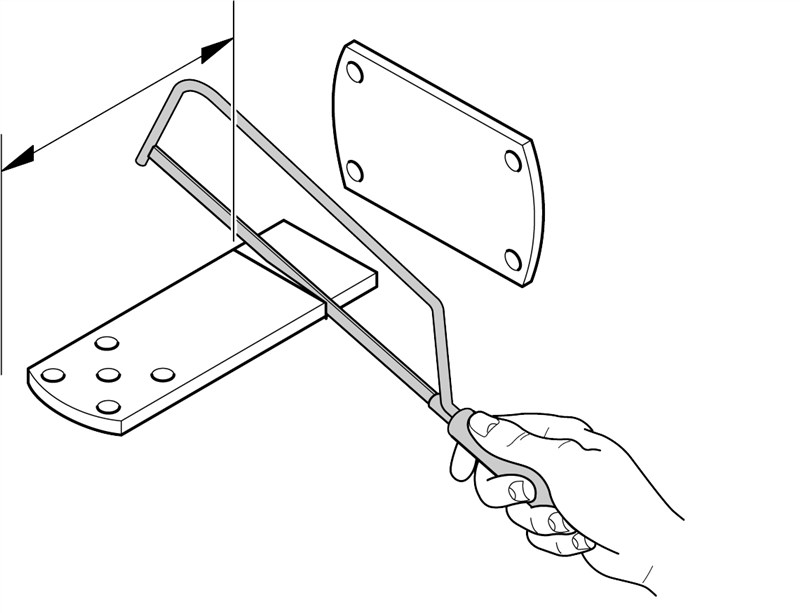
1. Cut the bracket to the required length
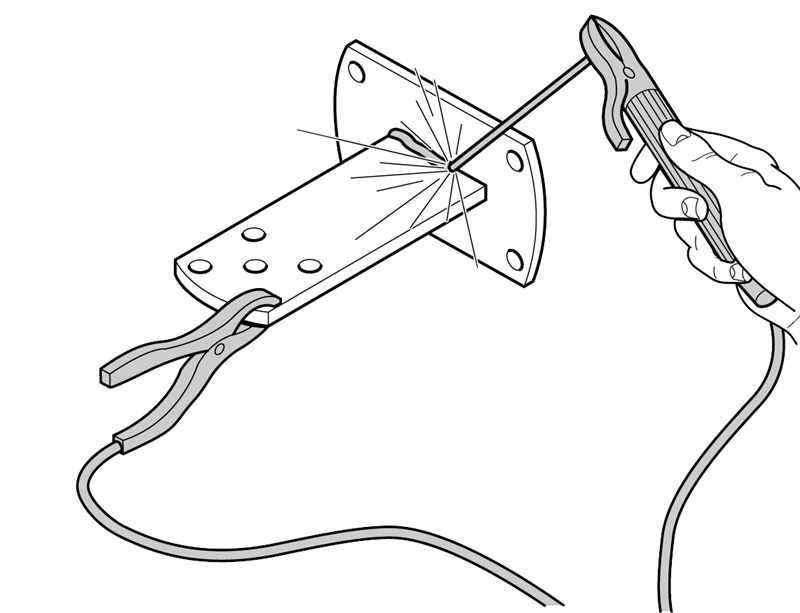
2. Weld the shortened bracket to the mounting plate
The standard rear bracket supplied is 150 mm long. Before welding it, compare its available length with the dimensions in the installation graph; if it is too short, use a suitably extended bracket.
Before fixing the rear bracket in place, check that the front bracket will align with a solid part of the gate leaf, since there is a height difference between the front and rear brackets, as shown in the figure.
Difference F = 34 mm.
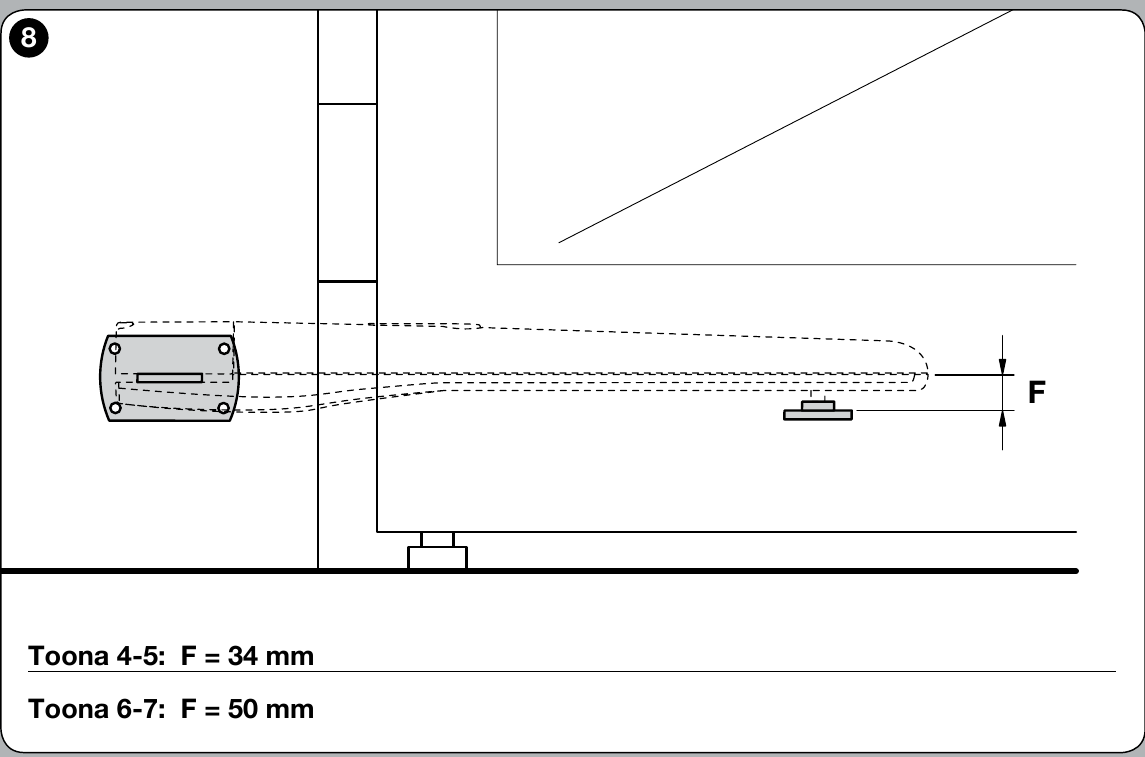
If everything is correct, secure the rear bracket to the post or wall using screws, wall plugs and washers.
II. Installing the front mounting bracket
The front bracket must be fitted to the gate leaf at a position based on the values D and E, which you can find in the Table (value D is fixed at 730 mm):
| A (mm) | E (mm) |
|---|---|
| 100 | 630 |
| 110 | 620 |
| 120 | 610 |
| 130 | 600 |
| 140 | 590 |
| 150 | 580 |
| 160 | 570 |
| 170 | 560 |
| 180 | 550 |
| 190 | 540 |
| 200 | 530 |
| 210 | 530 |
The supplied package includes a weld-on bracket. If you would prefer a bolt-on bracket, we recommend ordering the alternative NICE PLA8 bolt-on bracket.
- Calculate from the tables the value E
- Calculate the height according to the image bracket heights (view image)
- Attach the bracket to the gate leaf (if welding the bracket, we recommend tack-welding it for now only)
III. Mounting the gate operator on the rear bracket
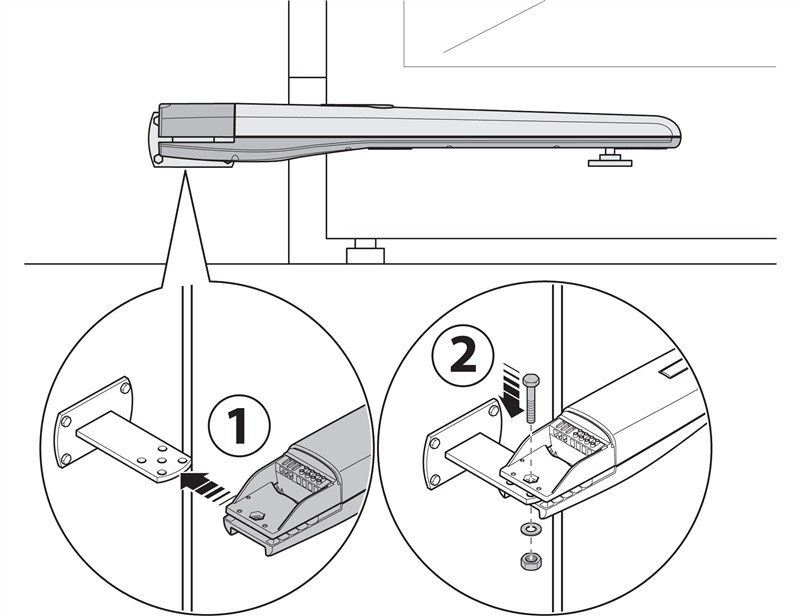
- Attach the motor to the bracket as shown, using the supplied rear bracket pin, washer and nut.
- Tighten the nut fully, then loosen it by 1/10 of a turn so that the gate operator can rotate
IV. Mounting the gate operator on the front bracket
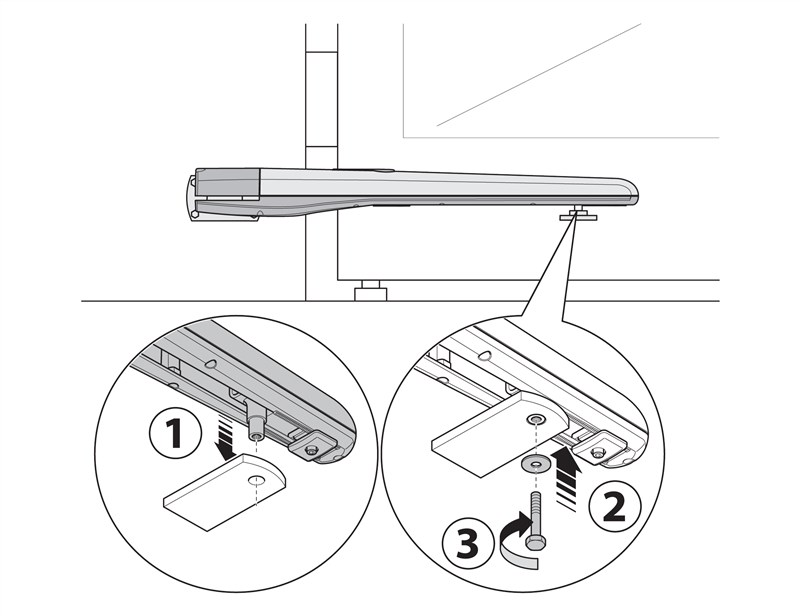
- Attach the operator to the bracket as shown, using the supplied pin and washer.
- Tighten the pin fully
V. Adjusting the mechanical travel stop
The TO4024 has an adjustable internal stop for the open position. Unlock the motor, loosen the stop screw, manually open the gate leaf to the desired position, move the stop up against the pin and secure the screw. Then close the gate leaf and lock the motor again. Follow figure 11 in the original manual.
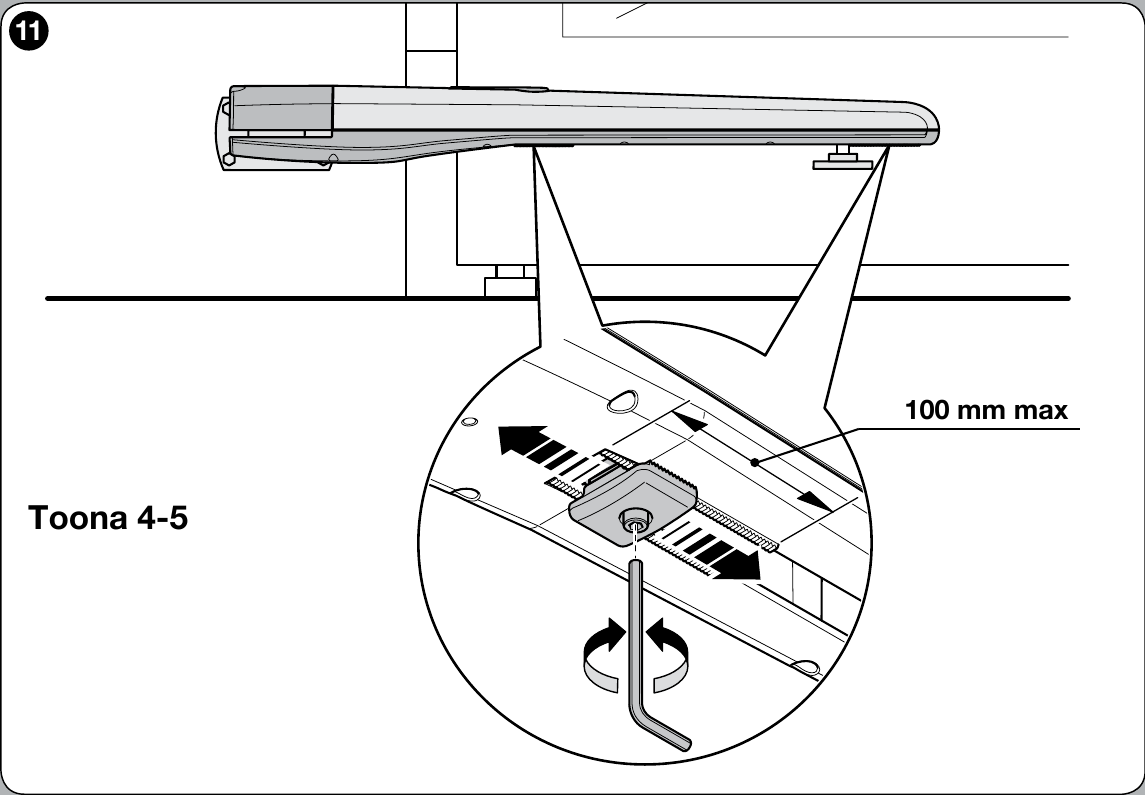
The TO4024 has an internal opening stop. Install the closing stop according to the gate design and the instructions for the control unit used.
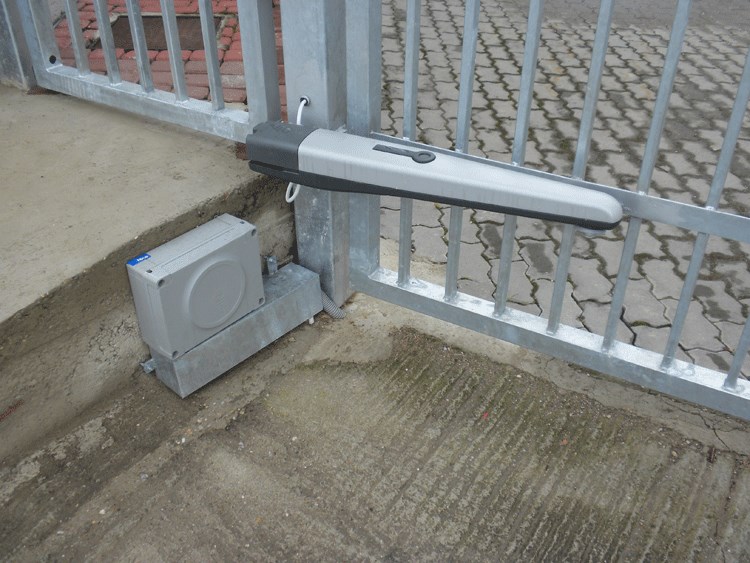
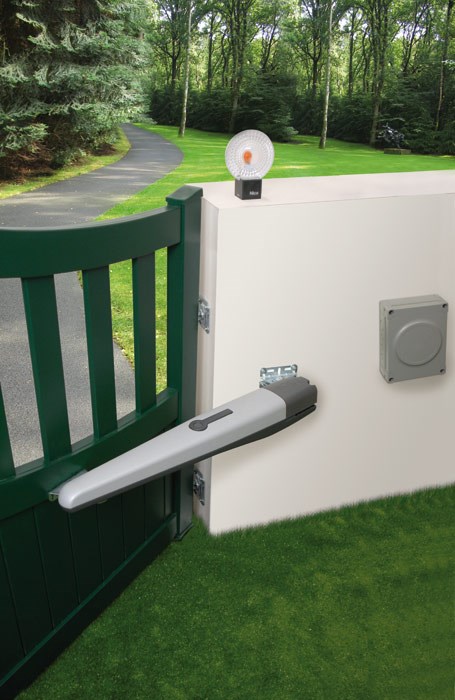
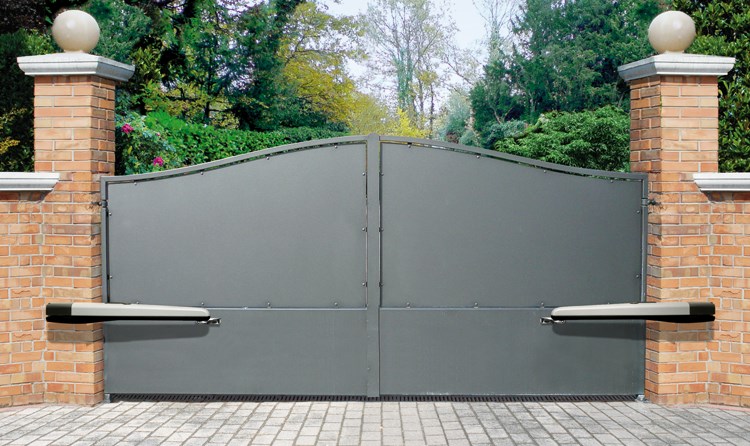
NICE Toona operator photo gallery
|
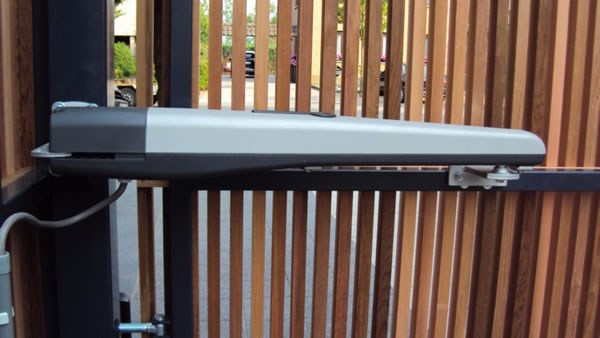
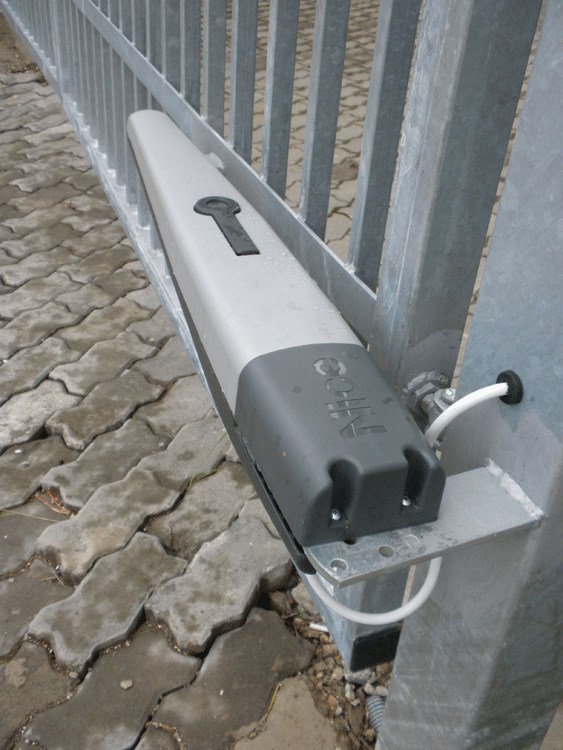
Installation example |
Installation example |
Installation example |
|
Installation example |
Installation example |
Operator with cover removed |
|
Comparison of Toona 4, 5 and 7 operators |
Unlocked operator |
Operator, underside |
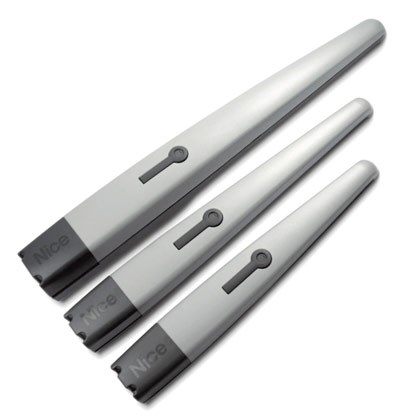
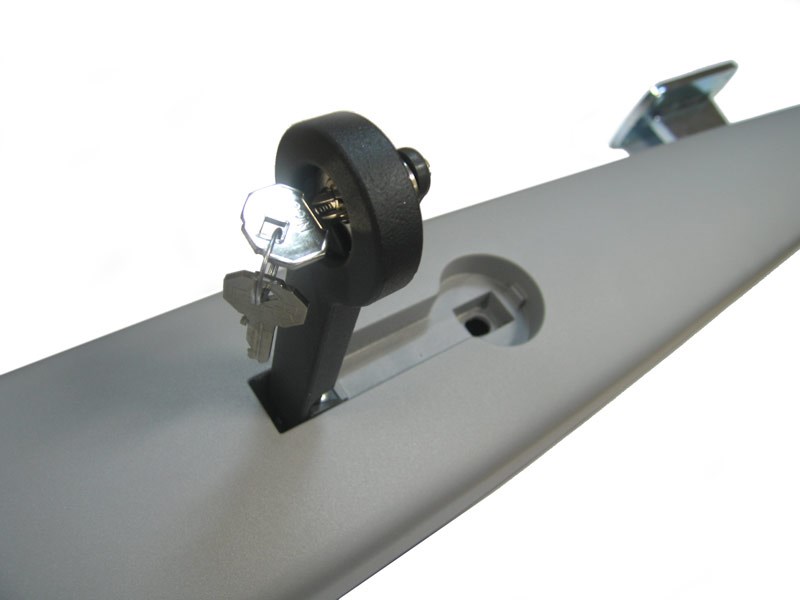
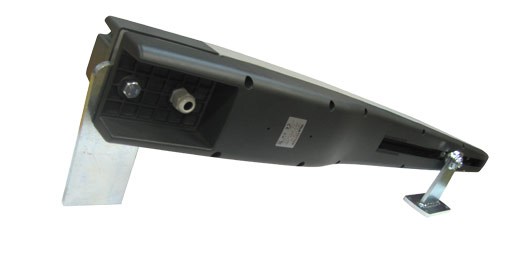
Manual release for NICE Toona 4 TO4024 operator
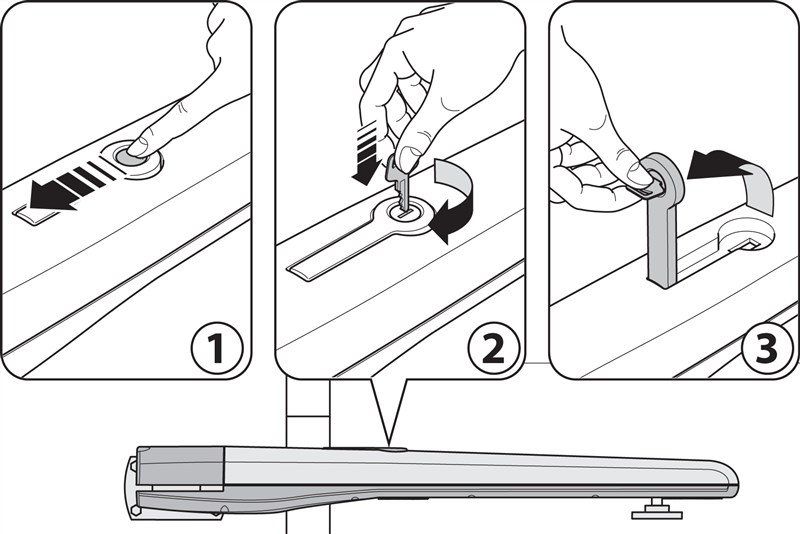
In the event of a power outage, you will not be able to operate the gate using the remote control. Therefore, the operator can be released using the release key so the gate can be moved manually:
- Slide the release lock cover aside
- Insert the release key and turn it clockwise
- Pull out the release lever to move the gate manually
Technical specifications of the NICE Toona 4 TO4024 operator
|
Model
|
NICE Toona 4 TO4024 |
|---|---|
|
Application
|
Electromechanical operator for swing gates |
|
Motor power supply
|
24 V DC from a suitable control unit |
|
Maximum / rated current draw
|
5 A / 2 A |
|
Maximum / rated power consumption
|
120 W / 48 W |
|
Built-in capacitor
|
No |
|
Stroke
|
385 mm |
|
Speed without load / under load
|
0.016 / 0.012 m/s |
|
Maximum / rated force
|
1,800 N / 600 N |
|
Cycles per hour at rated force
|
95 |
|
Protection / insulation
|
IP44 / class F |
|
Operating temperature
|
−20 to +50 °C |
|
Dimensions (L × W × H)
|
820 × 115 × 105 mm |
|
Operator weight
|
6 kg |
Safety and maintenance
Before installation, check that the gate leaf moves freely and smoothly and that the leaf and post are secure. Make electrical connections with the power supply disconnected. After installation, check the safety devices and operating force according to the manual for the complete system.
NICE requires the operator to be inspected at least every 6 months: condition of the structure and screws, lubrication of the screw, wear, and functional tests. For control unit programming, see the MC824HR30 manual.
How can I order this item?
Choose the option that suits you:
- order online: use the buy button to add the goods to your shopping cart (you will find the buy button here in the product variants table).
- order by email: place your order at [email protected]






