ZAMEL Universal Wi-Fi Drive Control via Mobile App
| Product availability: | In stock | We normally dispatch goods within 24 hours. |
|---|
in stock
€106.59 including VAT
| Weight |
|---|
| 0,35 kg |
Description of ZAMEL Universal Wi-Fi Drive Control via Mobile App
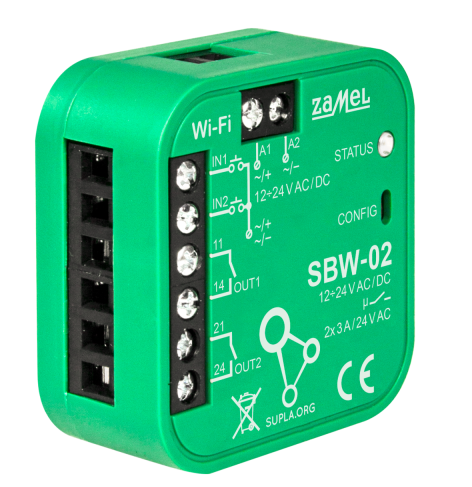
Receiver Zamel Wi-Fi allows remote control of up to 2 automation systems from anywhere in the world using a smartphone. The device can control entrance gates, garage doors, roller shutters, lighting, and any other devices that require switching an NC/NO signal at the control input.
Another advantage of the device is the ability to receive feedback on whether the gate has reached one of its end positions.
The open/closed gate status is displayed in the SUPLA mobile app (Android/iOS).
The app can display this information if the Wi-Fi module was connected:
- using the magnetic switches.
When using magnetic switches, the Wi-Fi module can be used with a device of any brand that has a volt-free input. The Wi-Fi module has 2 inputs for detecting the gate position.
The Wi-Fi module includes various functions, such as:
- Setting timed scenarios for opening/closing the gate
- Setting the relay activation time
- Option to set automatic closing
- Control via Google Home / Alexa
The Zamel Wi-Fi module is designed for indoor installation. For outdoor installation, the device must be adequately protected from the elements. The enclosure dimensions allow installation in any Nice control unit.
24V AC / DC power supply allows installation directly inside the control panel or drive enclosure.
For the device to work, it must be connected to the internet via a Wi-Fi network. Check that the Wi-Fi signal is strong enough at the installation location.
The drive or other device is controlled via the cloud server of the open-source project Supla.org, where you need to create a free account (email, password). The website is also available in Slovak and Czech.
The Zamel Wi-Fi module (Supla) can work with voice control via Amazon Alexa and Google Assistant, or Google Home.
Wiring:
Connect the power supply to the Zamel Wi-Fi module. Immediately after the device is switched on, the software checks the settings. If the settings have not yet been entered, the module automatically switches to configuration mode, indicated by a rapidly flashing LED. Otherwise, enter configuration mode by holding down the red CONFIG button for at least 5 seconds. In configuration mode, the module works as a Wi-Fi access point and is visible on the Wi-Fi network.
For more information, see the enclosed manual.
Technical specifications:
| Power supply: | 12 - 24 V AC / DC |
|---|---|
| Power consumption: | 0,6 W |
| Frequency: | Wi-Fi 2,4 GHz b/g/n |
| Inputs: | 2 |
| Outputs: | 2 |
| Relay contacts: | 2x NO 3A/24V AC |
| Outdoor installation: | directly inside the drive enclosure, ø 60mm box |
| Operating temperature: | -20/+55 °C |
| Ingress protection rating: | IP20 |
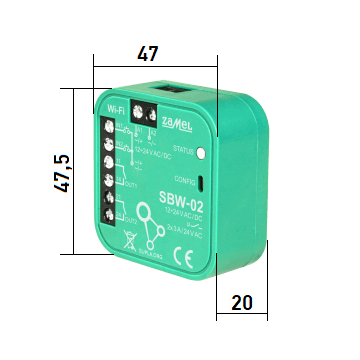
| Dimensions: | 47,5 x 47,5 x 20 mm |
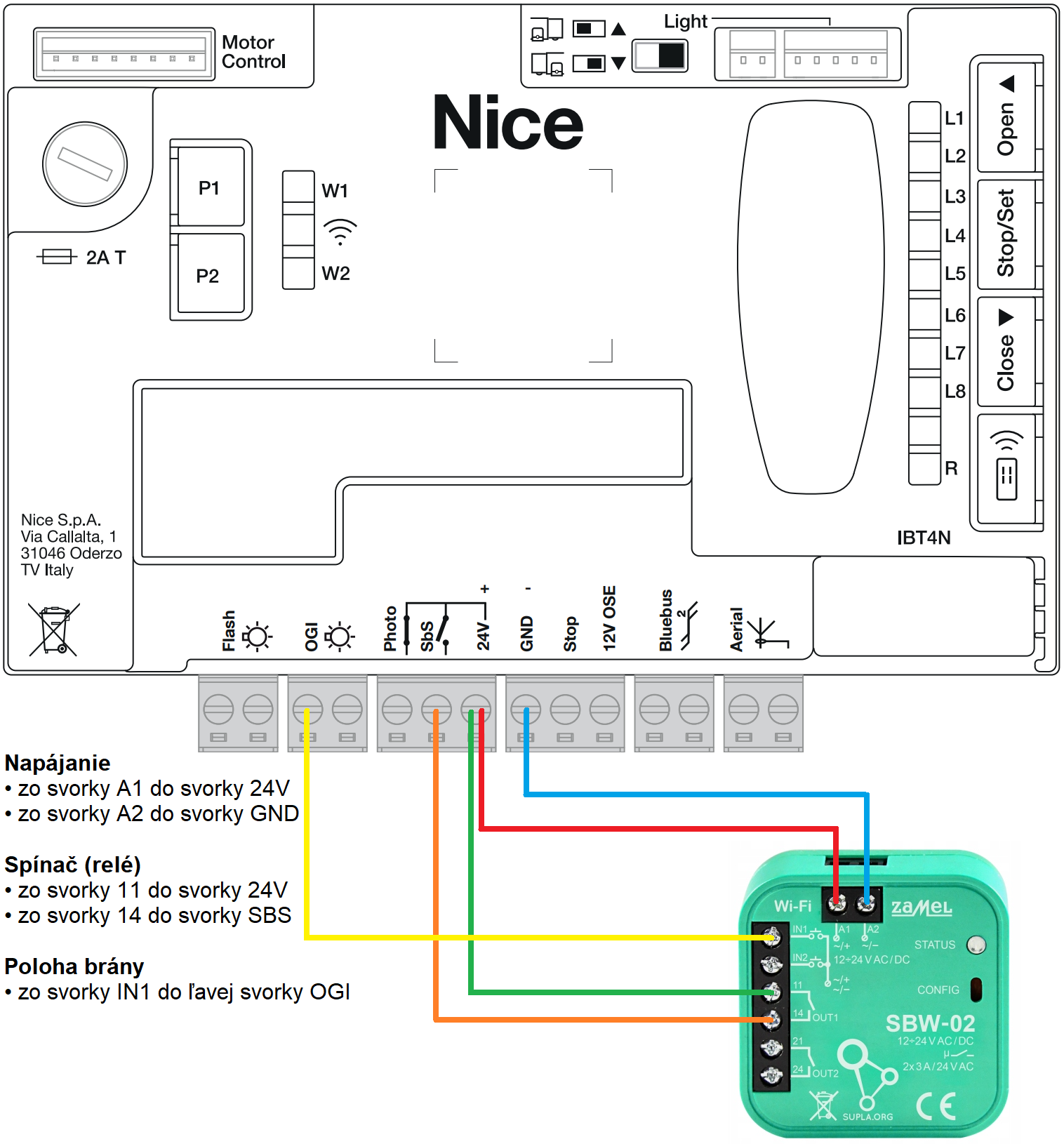
Example of connecting the SBW-02 to the MCU1R30 control unit of the NICE Robus RBS drive:
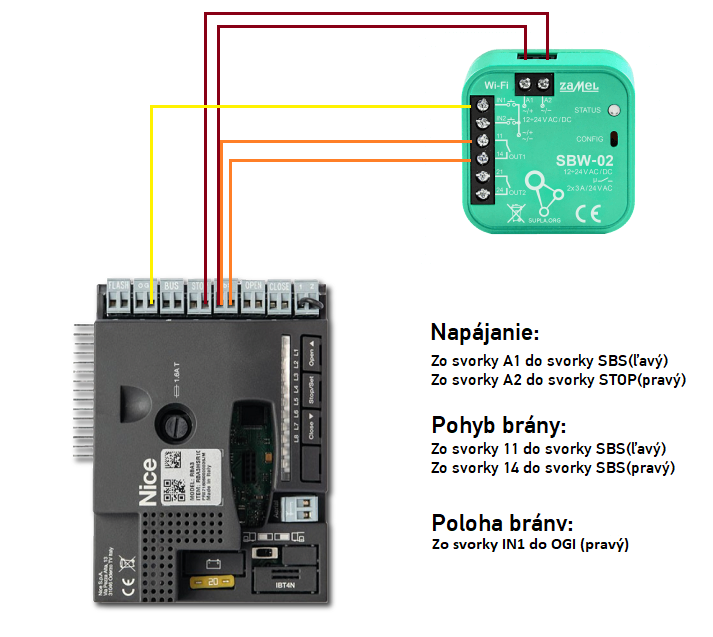
Example of connecting the SBW-02 to the RBA3R10 control unit of the NICE Robus drive:
How can I order this item?
Choose the option that suits you:
- order online: use the buy button to add the goods to your shopping cart (you will find the buy button here in the product variants table).
- order by email: place your order at [email protected]






