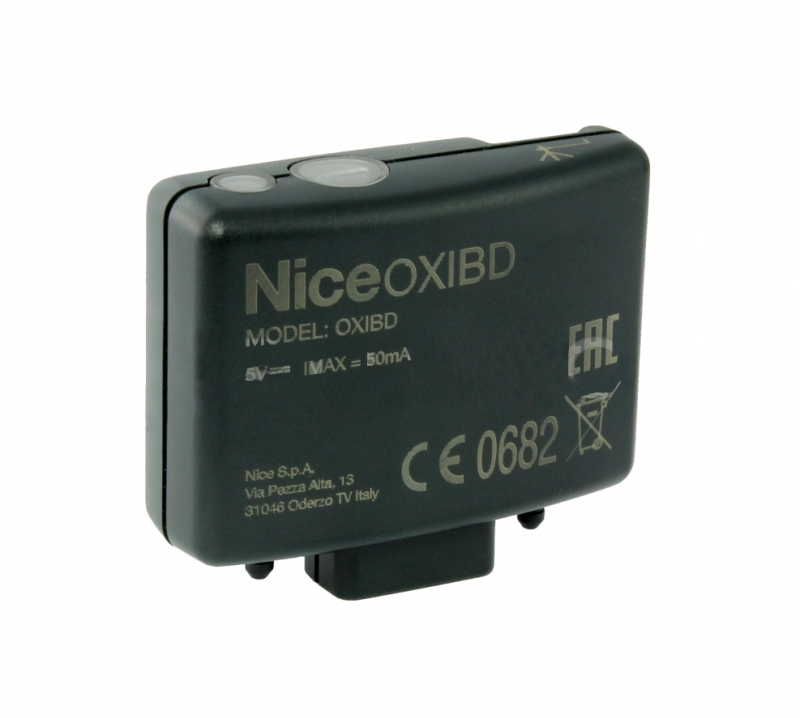
NICE OXIBD – internal two-way radio receiver
| Product availability: | In stock | We normally dispatch goods within 24 hours. |
|---|
in stock
€68.10 including VAT
| Weight |
|---|
| 50,00 g |
Description of NICE OXIBD – internal two-way radio receiver
NICE OXIBD is a plug-in, four-channel receiver with a rolling code for 1024 standard transmitters or 750 two-way transmitters. It is used in the control units of gate operators such as Wingo, Robus, etc.
Compatible with the remote control NICE ON3EBD. The receiver operates at a frequency of 433.92 MHz.
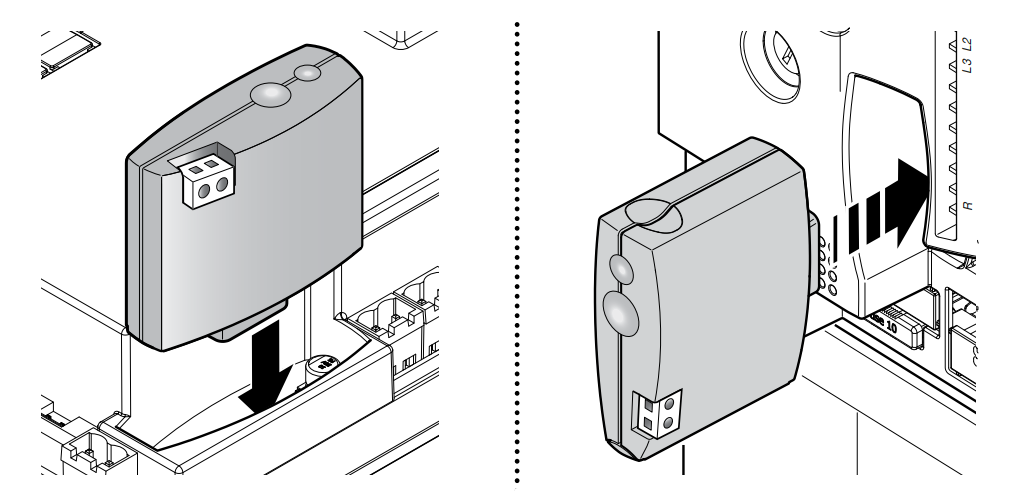
Plug-in receiver connection to the control unit
Technical specifications of the NICE OXIBD receiver
| Frequency: | MHz | 433.92 |
|---|---|---|
| Number of channels: | 4 | |
| Operating temperature: | (°C) | -20 to +55 |
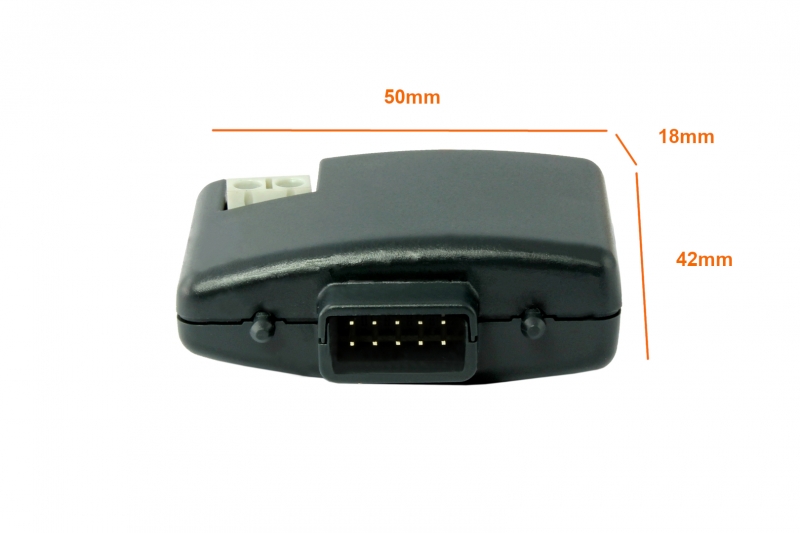
| Dimensions: | mm | 50x42x18 |
| Weight: | g | 22 |
| Power supply: | 5V DC |
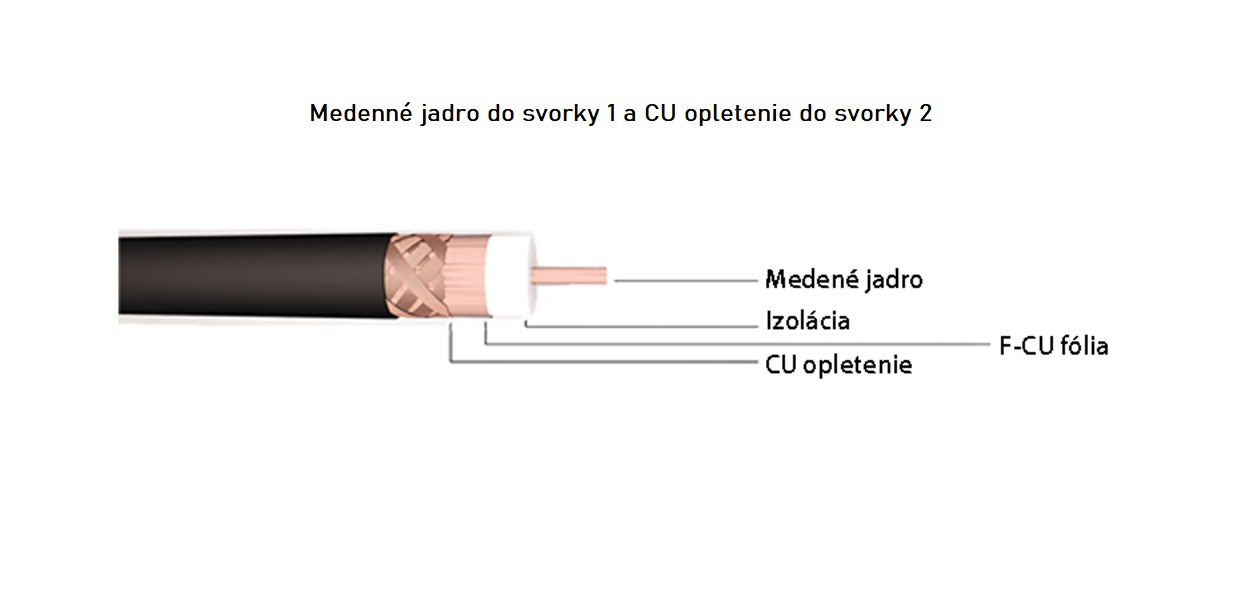
Connecting the antenna to the OXIBD receiver
Please use a coaxial cable and connect it to the receiver as follows:
Locking/unlocking the memory to prevent remote-control copying
- Disconnect the receiver from the power supply and wait 5 seconds.
- Press and hold the button on the receiver, then restore the power supply.
- First, the LED flashes a sequence depending on the coding type of the paired remotes, then flashes orange twice—exactly during the second orange flash, release the button.
- Within 5 seconds, press the button repeatedly to set the LED colour:
- off – memory unlocked for copying remote controls
- red – copying remote controls within range is blocked
- green – copying remote controls by borrowing a code is blocked
- orange – all copying of remote controls is blocked
- Within 5 seconds, press any button on an already paired remote control to save the setting.
NICE OXIBD receiver settings:
The most commonly used command is step-by-step where one button on the remote cycles through the commands: open – stop – close – stop – open, and so on. This command is suitable for 90% of situations. If you pair the remote in Mode I, its first button will operate in step-by-step mode.
Another popular option is to pair the remote for the OPEN command only, so pressing the button opens the gate. Repeated presses of the button will cycle through the commands: open – stop – open – stop, and so on. This also activates the automatic closing function (the delay before automatic closing can be set). This setting is suitable for apartment buildings or other premises with frequent use by multiple users.
ADVANCED OXI RECEIVER COMMAND FUNCTIONS:
All commands that can be configured on the OXIBD are listed in the table below. The details of these functions may vary depending on the specific control unit and whether the device is a sliding gate operator, a barrier, or another type of equipment.
| Command no. | Name | Description |
|---|---|---|
| 1 | Step-by-step | Repeatedly pressing the button cycles the gate through its movements |
| 2 | Partial opening I | Partially opens the gate, depending on the control unit |
| 3 | Open only | Pressing the button again stops the gate |
| 4 | Close only | Pressing the button again stops the gate |
| 5 | Stop movement | Stops any gate movement |
| 6 | Condominium step-by-step | After an open command, further commands are ignored until the gate is fully open |
| 7 | Priority step-by-step | The operator accepts the command even when it is blocked |
| 8 | Partial opening II | Depends on the control unit |
| 9 | Partial opening III | Depends on the control unit |
| 10 | Open and lock out the automation | Opens the gate; the operator will then accept only commands 7 and 13 |
| 11 | Close and lock out the automation | Closes the gate; the operator will then accept only commands 7 and 13 |
| 12 | Lock out the automation | Stops the gate; the operator will then accept only commands 7 and 13 |
| 13 | Unlock the automation | Unlocks the automation locked by commands 10, 11 or 12 and resumes normal operation |
| 14 | Switch on the light timer | The light switches on and turns off after the programmed time |
| 15 | Lighting ON-OFF | The light is switched on and off by pressing the remote control repeatedly |
Examples of using the advanced commands:
1. I use a Robus operator with the automatic closing function enabled. But when a delivery arrives, I want the gate to remain permanently open. I pair commands 10 and 13 with one of my remotes, allowing me to lock out the operator for as long as needed. During this time, the operator will not respond to commands from any other control devices (other remotes, GSM module, etc.), and automatic closing will also be disabled. When finished, I unlock the automation by sending command 13 from the remote.
2. We use the operator on an entrance gate, and there are several users. As the administrator, I want the entrance to be unavailable at certain times (e.g. at weekends). I pair commands 11 and 13 with one of my remotes. If I close the gate using this remote (command 11), the gate closes and the operator stops responding to all other control devices. Once I open the gate using command 13, all the other control devices will work again.
These functions can also be used in other ways, depending on your specific situation.
How can I order this item?
Choose the option that suits you:
- order online: use the buy button to add the goods to your shopping cart (you will find the buy button here in the product variants table).
- order by email: place your order at [email protected]






