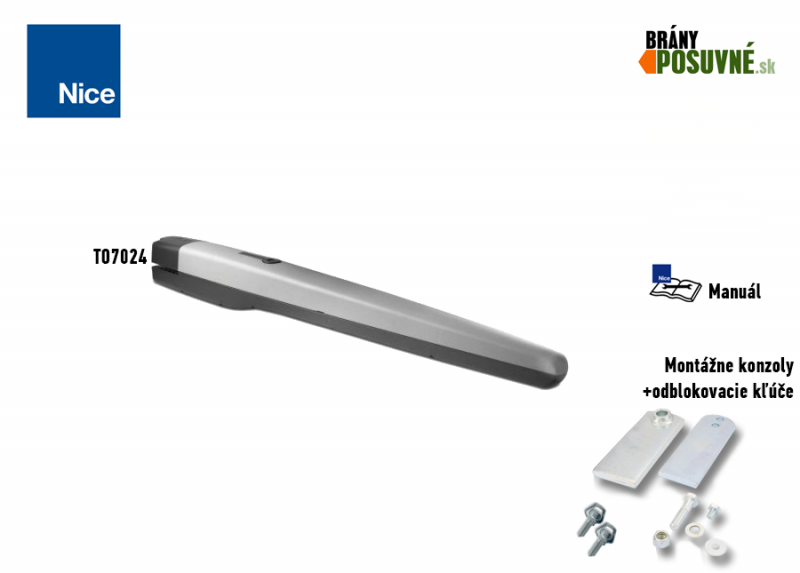
NICE Toona TO7024 – 24 V swing gate operator for gates up to 7 m
| Product availability: | In stock | We normally dispatch goods within 24 hours. |
|---|

in stock
€765.04 including VAT
| Weight |
|---|
| 12 kg |
Description of NICE Toona TO7024 – 24 V swing gate operator for gates up to 7 m
NICE Toona TO7024 is a standalone electromechanical operator 24 V DC with a magnetic encoder for one gate leaf. A weight of up to 1 700 kg and a length of up to 7 m are maximum values; the permitted combination is determined by the TO7024 curve. The operator is non-reversible and has a robust aluminium housing.
The motor has separate internal open and close stops. 24 V indicates the voltage of the motor; mains power supply and accessory functions depend on the control unit actually installed. The current MC824HR30/MCA1R30 has its own manual. For the older MC824HR10/MCA1R10, follow the procedure for its board.
| Quick navigation | |
|---|---|
| Package contents | Kits |
| Accessories | Limits |
| Service life | Installation |
| Wiring | Stops |
| Testing | Maintenance |
| Manual release | Photo gallery |
| Specifications | Manual |
| Accessories – terminals and polarity | Manual PDF |
What the standalone operator includes
| The operator includes: | Code | |||
|---|---|---|---|---|
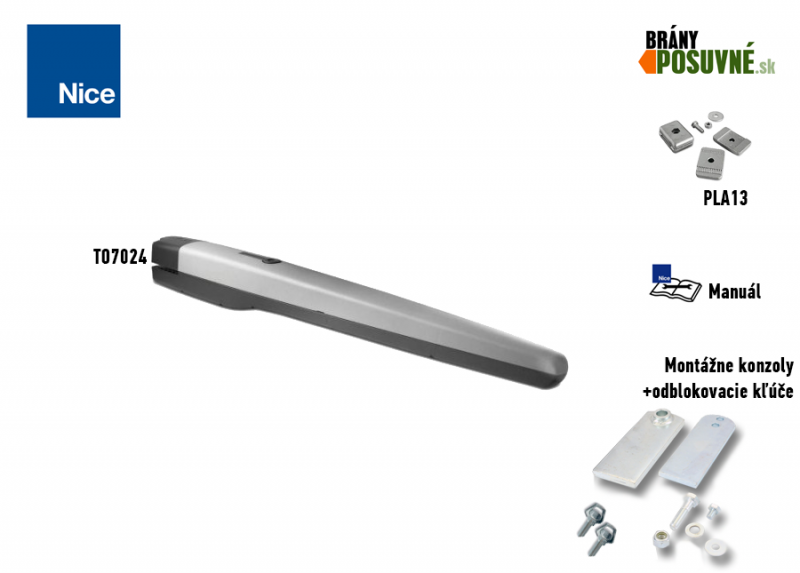 |
1 × | NICE Toona 7 TO7024 operator |
TO7024 |
|
|
NICE Toona TO7024 electromechanical operator. Values of up to 1 700 kg and up to 7 m are maximum limits; check the TO7024 graph for permitted combinations. |
||||
 |
2 × | Internal opening and closing stops | PMD1641R01.4610 | |
|
The internal stops set the open and closed positions; assess whether additional stops are needed based on the complete gate. Adjustment instructions. |
||||
 |
2 × | Release key | CM-B | |
|
In the event of a power failure, it releases the operator so the gate can be moved manually by pushing or pulling. |
||||
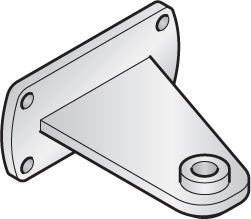 |
1 × | Screw-on front bracket |
PMD1640R02.4610 |
|
|
It is screwed to the fixed part of the gate leaf. Note that it is positioned at a different height from the rear bracket. |
||||
 |
1 × | Front bracket pin | R8.5120 Washer V8X16.5102 Pin |
|
|
It is used to attach the front end of the operator to the front bracket. |
||||
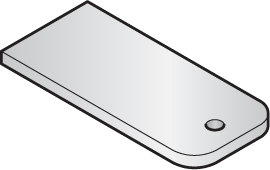 |
1 × | Weld-on rear bracket | PMD1642.4610 | |
|
It is welded to a screw-on mounting plate or steel post. Note that it is positioned at a different height from the front bracket. |
||||
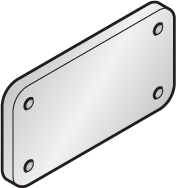 |
1 × | Mounting plate for the rear bracket | PMD1639.4610 | |
|
The rear bracket is welded to it. The mounting plate is then fastened to a post or wall. |
||||
 |
2 × | Rear bracket pin | D12.5110 Nut R12.5120 Washer V12X60.5102 Pin |
|
|
Used to secure the rear of the drive to the rear bracket. |
||||
This listing is for a standalone motor with mounting hardware. Automatic operation requires a suitable control unit and safety devices for the entire gate; the contents of complete kits are listed on their own product pages.
Special offers on kits with TO7024
Check the contents of each kit and the number of motors included. Gate leaf suitability is determined by TO7024 curve; 7 m and 1,700 kg are not simultaneous values.
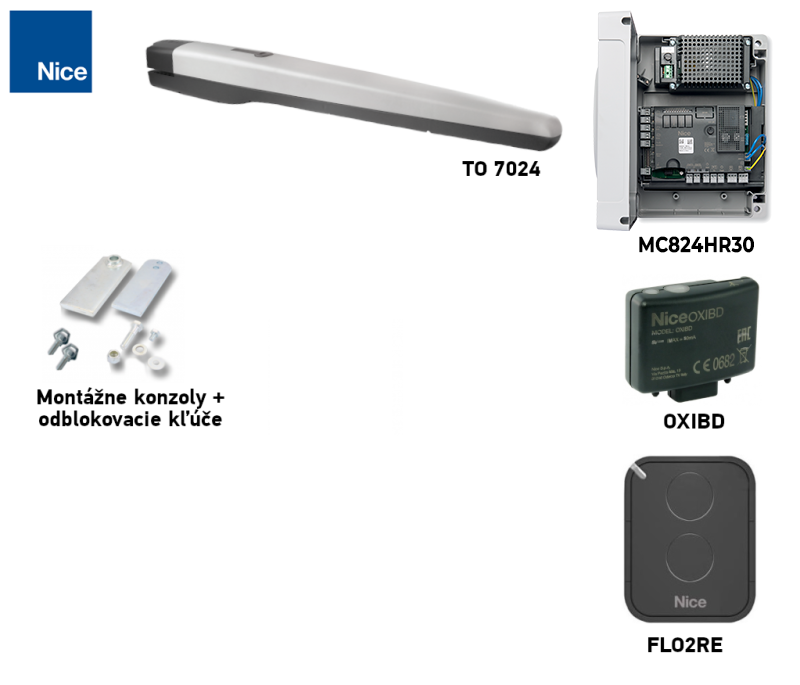
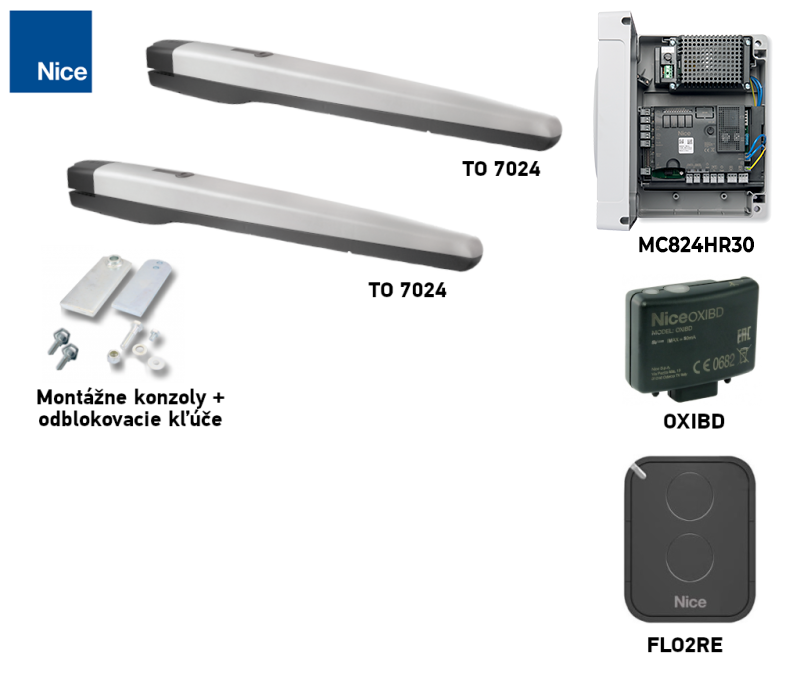
| Kit for a single-leaf gate » | Kit for a double-leaf gate » |
|---|---|
|
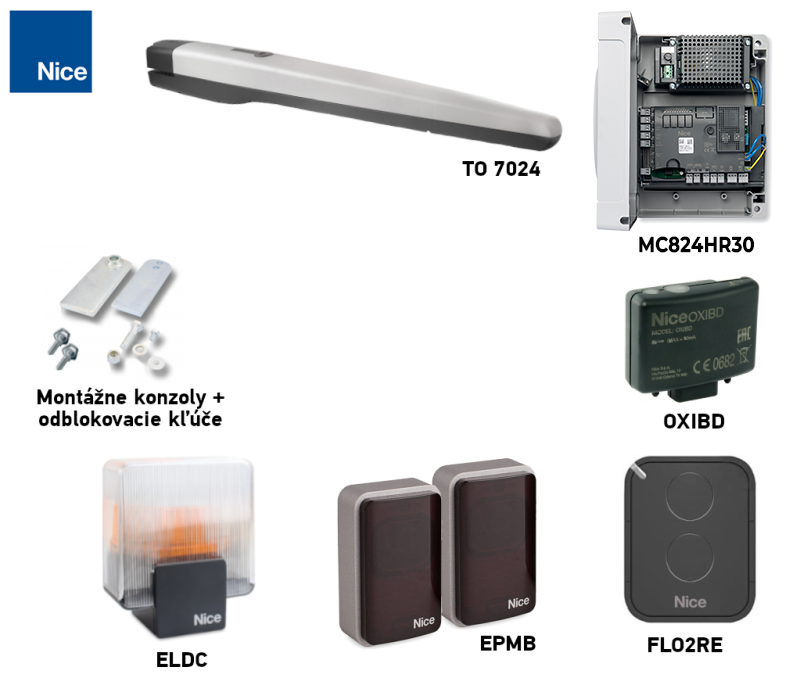
TO7024 drive, control unit, remote control, receiver. |
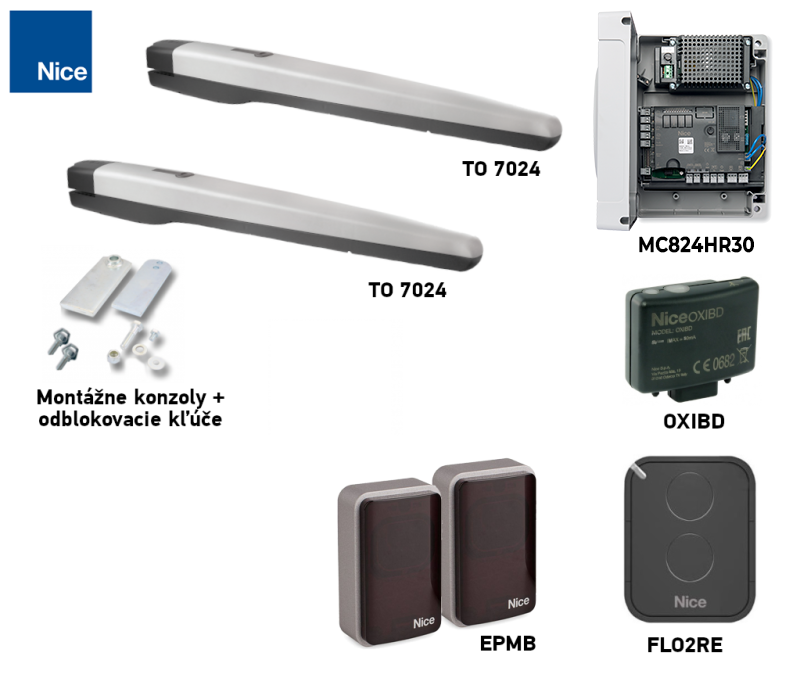
2 x TO7024 drives, control unit, remote control, receiver. |
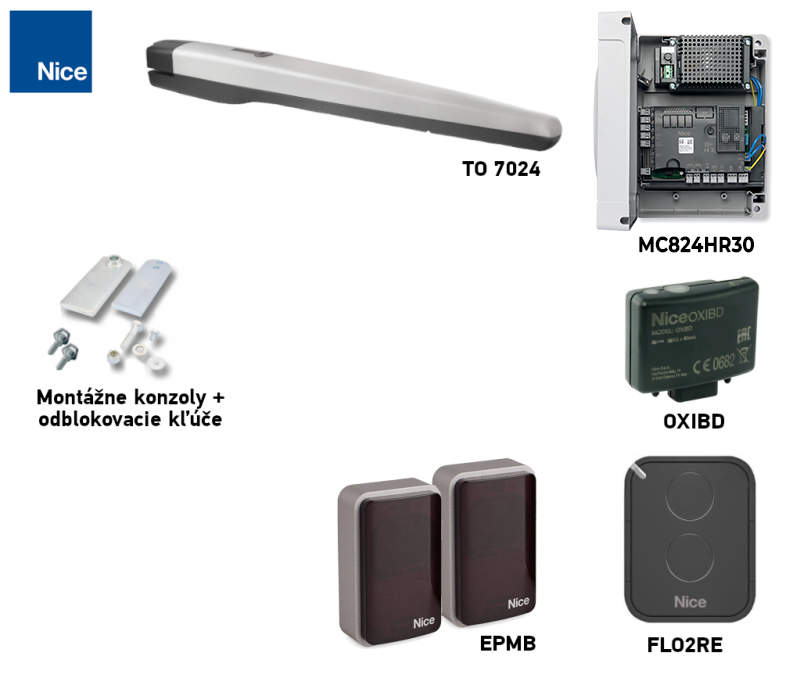
| Kit for a single-leaf gate with photocells » | Kit for a double-leaf gate with photocells » |
|
TO7024 drive, control unit, remote control, receiver, photocells. |
2 x TO7024 drives, control unit, remote control, receiver, photocells. |
| Kit for a single-leaf gate with accessories » | Kit for a double-leaf gate with accessories » |
|
TO7024 drive, control unit, remote control, receiver, photocells, warning light. |
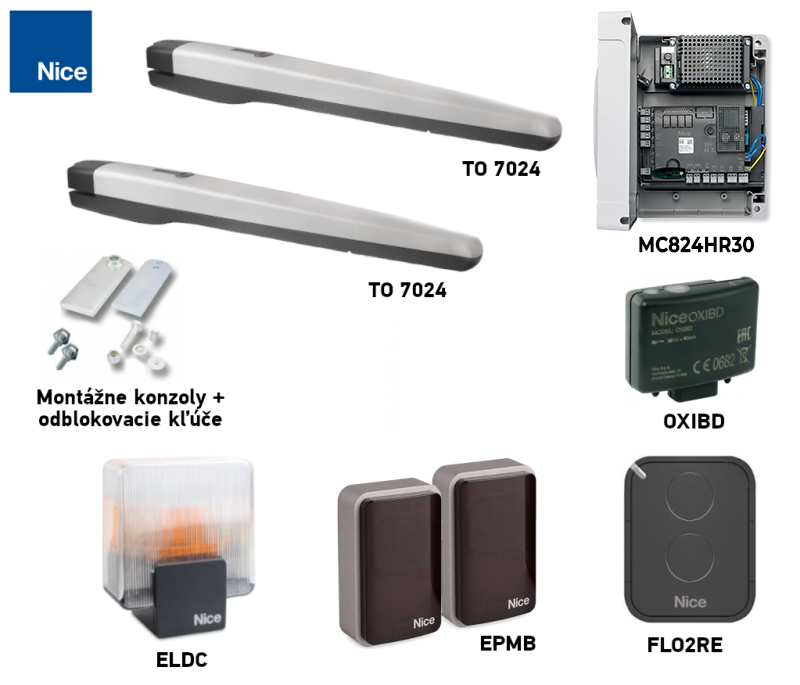
2 x TO7024 drives, control unit, remote control, receiver, photocells, warning light. |
Connecting accessories to the MC824HR30
The following terminals belong to the MC824HR30/MCA1R30 control unit when used with a TO7024 motor, not to the motor itself. Disconnect the mains supply and backup battery before working. For a different board, use its own wiring diagram.
| Accessory | Terminals, voltage and polarity |
|---|---|
| BlueBUS photocells | Connect compatible photocells, such as EPMB, using a two-wire connection to BlueBUS. + and − are not polarity-sensitive. Set the address and repeat the learning procedure after changing devices. |
| STOP and command inputs | The STOP input accepts a volt-free NO or NC contact, or a device with an 8.2 kΩresistor; its state is learned. SbS, Open and Close accept a volt-free NO contact on the corresponding pair of terminals. Contacts have no +/− polarity; do not apply an external voltage to the input. |
| Auxiliary power supply | Right-hand terminal of the STOP pair = −; left-hand terminal of the SbS pair = +, in the orientation shown in the image below (labels above the terminals). Power supply for a suitable reader or module: 24 V DC (−30% to +50%), maximum 200 mA, including in Stand-by mode. Wire the module's command relay separately as a volt-free contact; check the module's permitted voltage range and current consumption. |
| Warning light, lock, indicator | FLASH: 12 V DC, maximum 21 W; ELS: 12 V AC, maximum 15 VA, no fixed +/− polarity; OGI: 24 V DC, maximum 4 W. For FLASH/OGI, the diagram does not specify the +/− order on the pair of terminals, so do not guess; for a polarity-sensitive product, check the markings on both the board and the product. Output functions may vary depending on the programming. |
| Radio and backup | The plug-in receiver fits into the SM, and the backup battery fits into its own connector on the installed board. They do not connect to BlueBUS or the motor terminals. |
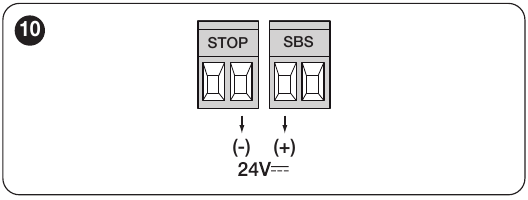
For detailed terminal locations, the learning procedure and testing of safety devices, see the in the MC824HR30 control unit's own manual.
Accessories by control unit
The choice depends on the actual board, inputs, receiver and voltage. An older compatible board does not thereby become part of the current generation.
| What | Why | Type |
|---|---|---|
| Control unit | Motor electronics; choose the manual for the board actually installed. |
|
| Warning light | Signals movement. Only models for which the manufacturer specifies an antenna include one. The choice depends on the control unit's output. |
On the MC824HR30, the FLASH output is designed for a 12 V warning light rated up to 21 W. For other lights, check the voltage, power rating and flashing mode. |
| Photocells | They monitor the beam area and send a signal to the control unit. The gate's response depends on the wiring and settings; test the complete system after installation. | |
| Transmitter | Choose a remote control compatible with the receiver and coding used in the control unit. ON3EBD is compatible with OXIBD, and ON3ELR with OXILR. | |
| Receiver | The radio receiver must support the remote control's coding; smart home interfaces offer different functions. |
|
| Antenna | Improves receiver reception when correctly positioned and connected. | |
| Keypad | Code access. A BlueBUS keypad requires a control board that supports command devices. | |
| Key switch | Control via a suitable control input on the control unit. | |
| Electric locks | Locks the gate leaf; check the lock’s control method and voltage against the control unit and installation requirements. |
|
| Card readers | ETPB requires the specific control unit to support BlueBUS command devices. |
|
| Backup power supply | A battery connected to a compatible control unit allows operation during a power outage. |
Operating range for a single gate leaf
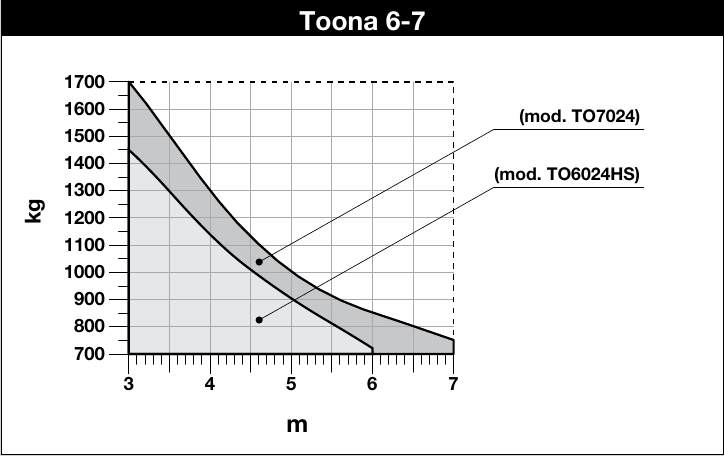
Length and weight are shared limits. The curve for TO7024 shows a capacity of 1,700 kg at 3 m; at 7 m, approximately 750 kg. Use only the curve for your model and account for resistance to movement, a solid infill and wind; the maximum figures cannot automatically be combined.
Service life based on load
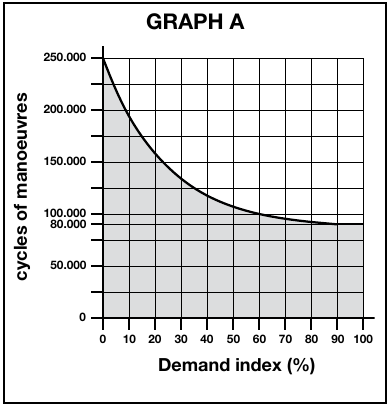
For a single gate leaf, add the applicable indices for weight, length and environment. Then compare the total with the NICE graph. The graph does not provide a value above 100%. This is an approximate service-life estimate of 80,000 to 250,000 operating cycles, depending on the load, not a guarantee.
| Characteristics of the complete automation system | Index | Service-life graph |
|---|---|---|
| Weight up to 400 kg | 0% |
|
| Over 400 kg up to 500 kg | 10% | |
| Over 500 kg | 20% | |
| Length 2–3 m | 0% | |
| Length 3–4 m | 0% | |
| Length over 4 m up to 5 m | 10% | |
| Length over 5 m up to 6 m | 20% | |
| Length over 6 m up to 7 m | 30% | |
| Temperature above 40 °C, below 0 °C, or humidity above 80% | 20% | |
| Solid gate-leaf infill | 15% | |
| Windy area | 15% |
| NICE graph |
|---|
Installing the drive and brackets
Before installation, check that the gate is sturdy, the leaf moves smoothly by hand, there is room to release the drive, and a suitable mounting point is available on a rigid part of the leaf. Have installation and electrical connection carried out by a qualified technician.
Rear bracket mounting and the A/B/C graph
Post and brackets: As a general guide, we recommend a sturdy steel post measuring 120 × 120 mm. With a 100 × 100 mm the installer must separately assess the wall thickness, anchoring, foundation, hinge offset and wind load. The cross-section alone does not guarantee sufficient strength.
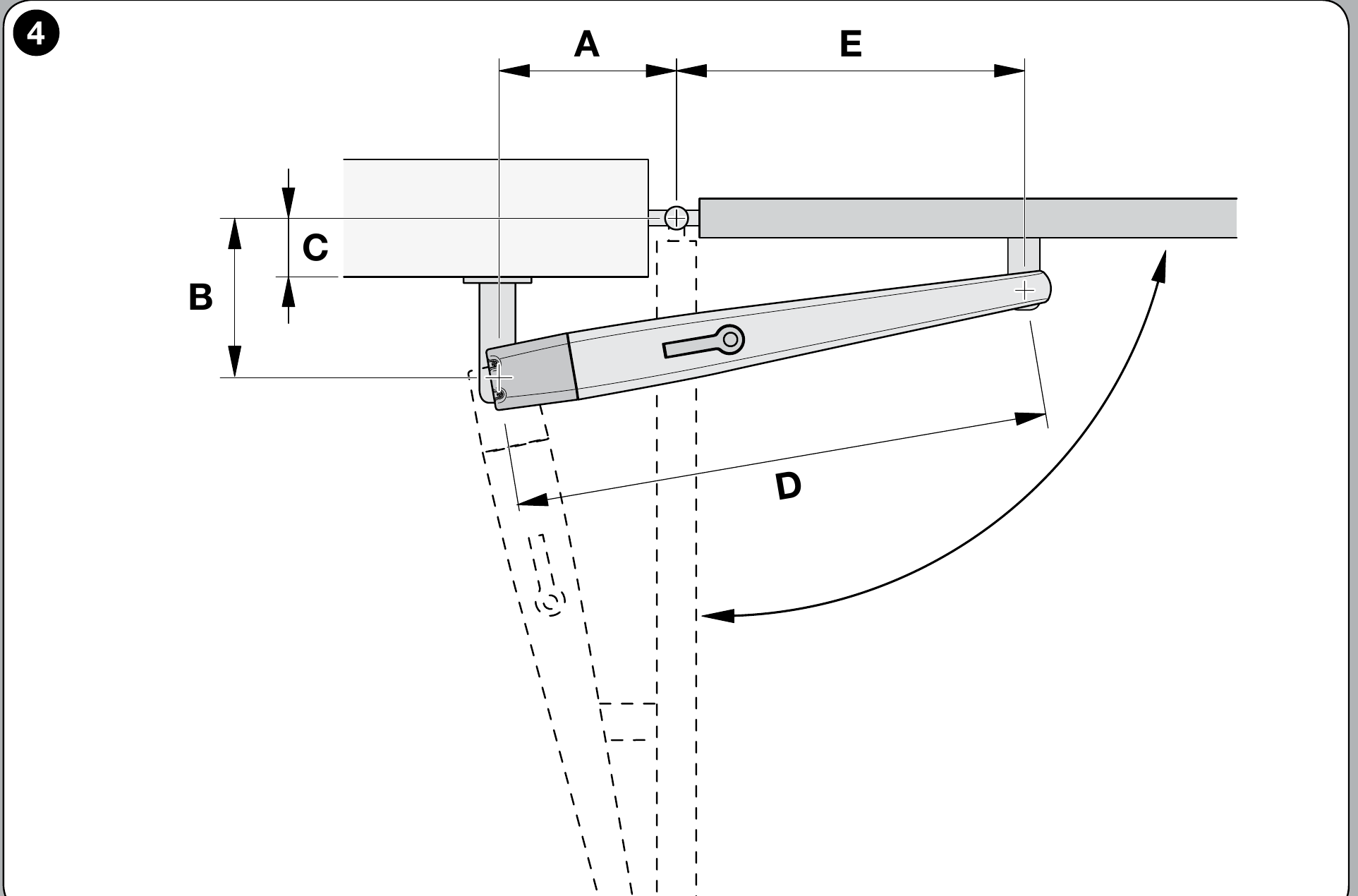
Measure the hinge offset C. On the original TO7024 graph, draw a horizontal line from C and read off B; the intersection with the recommended r.i.l. line determines the angle and A on the vertical axis. Dimensions A and B should be similar. NICE does not recommend B values below the t line.
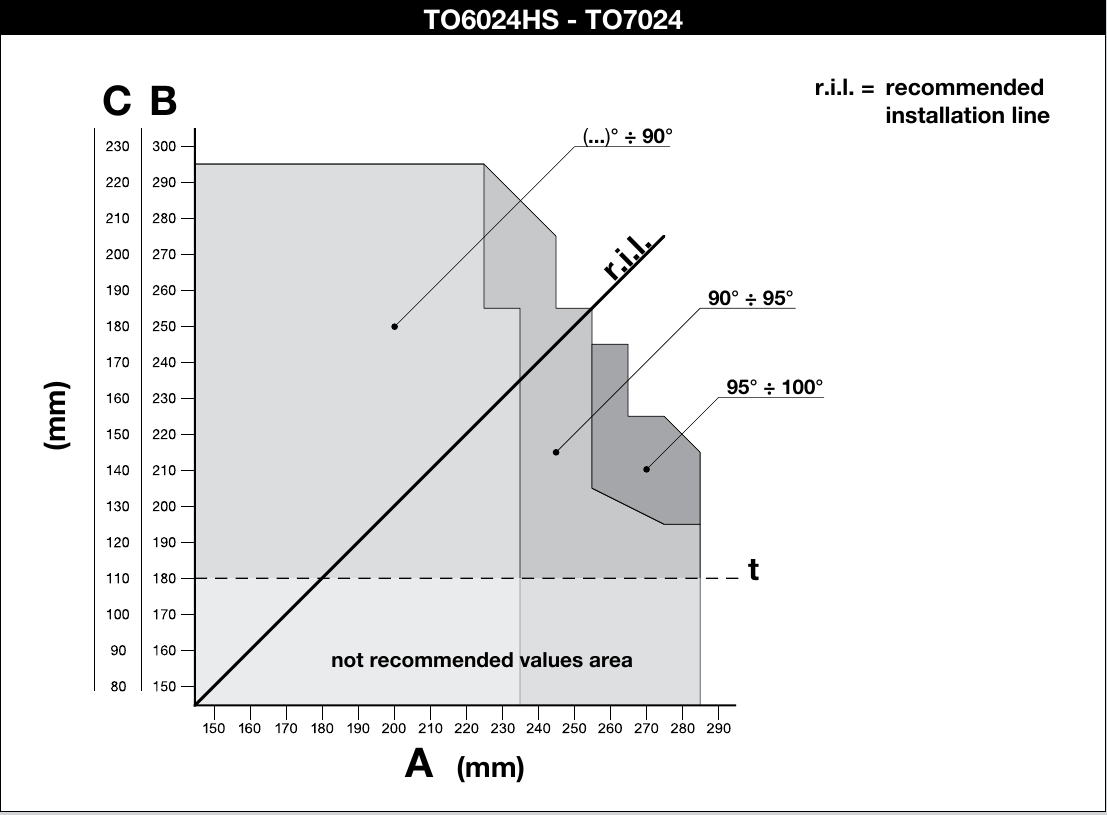
If the post profile or hinge position makes it impossible to follow the graph, the rear bracket must be modified or a suitable extended mounting bracket for Toona 6–7. An extended rear mounting bracket is required for outward opening. Choose the dimensions to suit the actual gate and check the full range of movement before the final weld.
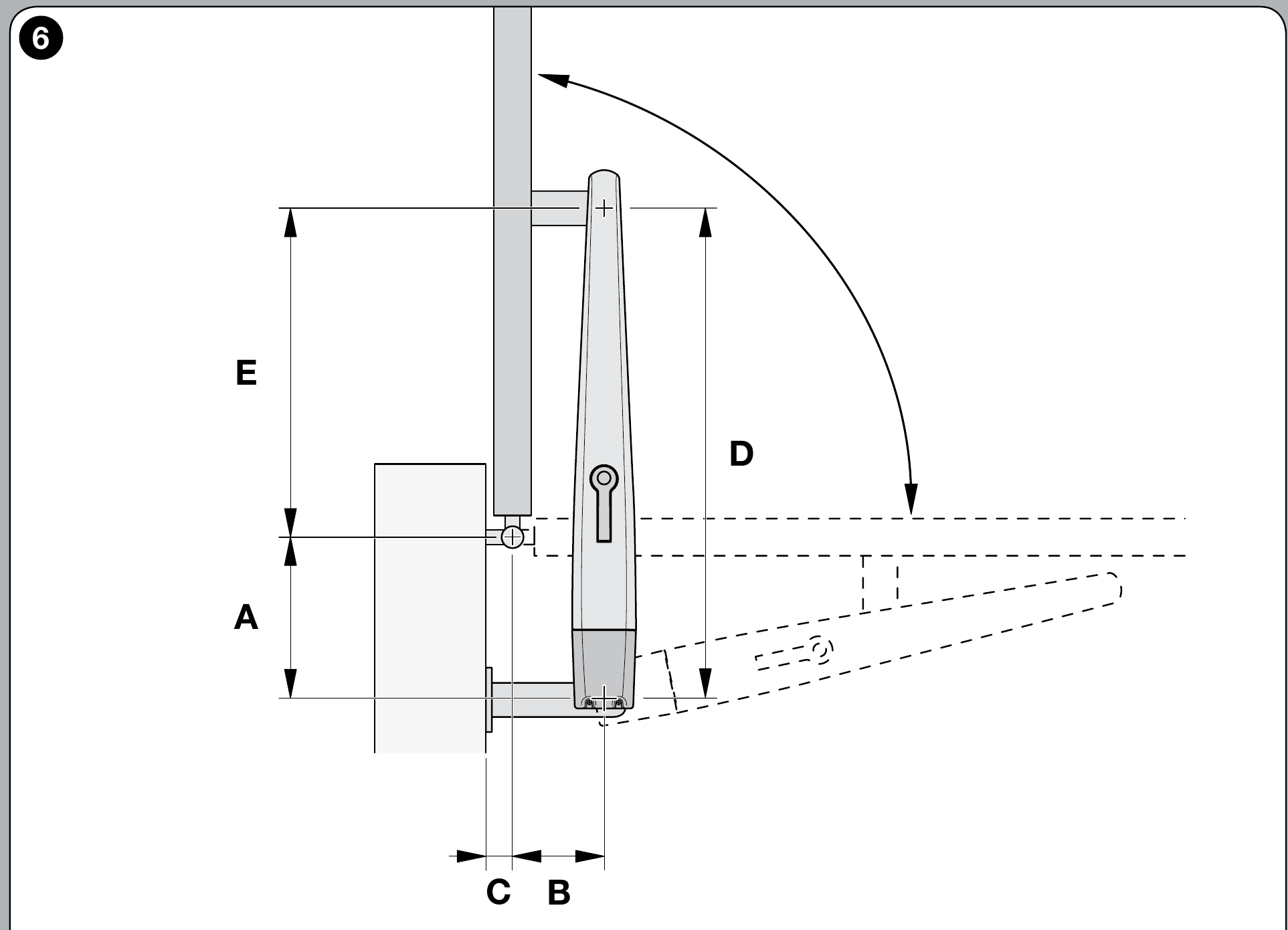
Once the geometry has been checked, firmly attach the rear bracket to the mounting plate and post. Choose fasteners for the post to suit the substrate. Secure the front bracket to a rigid part of the gate leaf; the motor must have the necessary small amount of play at the pins so it does not bind.
A separate rear bracket PMD1642.4610. This is a replacement part for the original mounting bracket; any extension required for non-standard geometry must be designed separately.
Dimension D = 1,070 mm. Once A has been determined from the graph, read E from the NICE table; the height difference between the front and rear brackets is F = 50 mm.
| A (mm) | E (mm) |
|---|---|
| 180 | 890 |
| 190 | 880 |
| 200 | 870 |
| 210 | 860 |
| 220 | 850 |
| 230 | 840 |
| 240 | 830 |
| 250 | 820 |
| 260 | 810 |
| 270 | 800 |
| 280 | 790 |
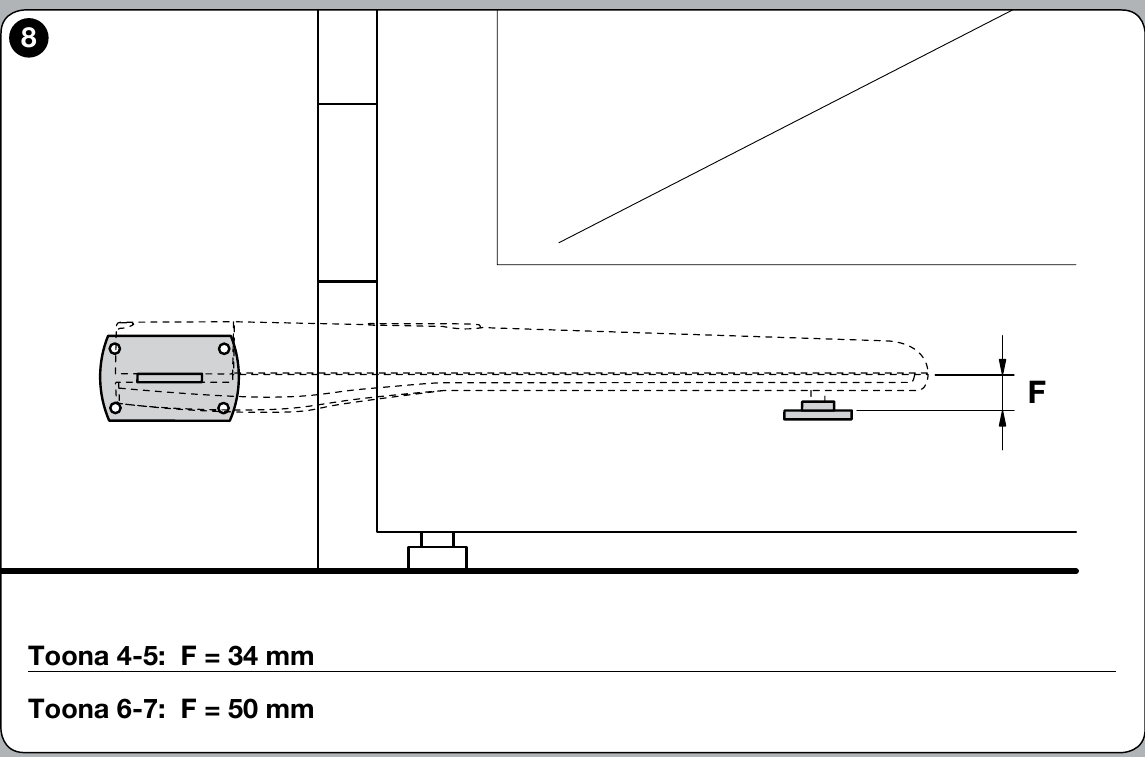
For the rear pin, NICE specifies tightening the nut and then loosening it by 1/10 of a turn, so that minimal clearance remains between the parts. Tighten the front attachment according to the manufacturer's drawing.
Motor wiring and connections
Before opening the cover and making connections, disconnect the power supply. The drive has separate terminals for the encoder and the 24 V DC motor; do not mix them up. Connect the wires and protective earth according to the original NICE diagram and the instructions for the control unit actually installed. The 24 V marking indicates the motor voltage, not necessarily the control unit's mains supply.
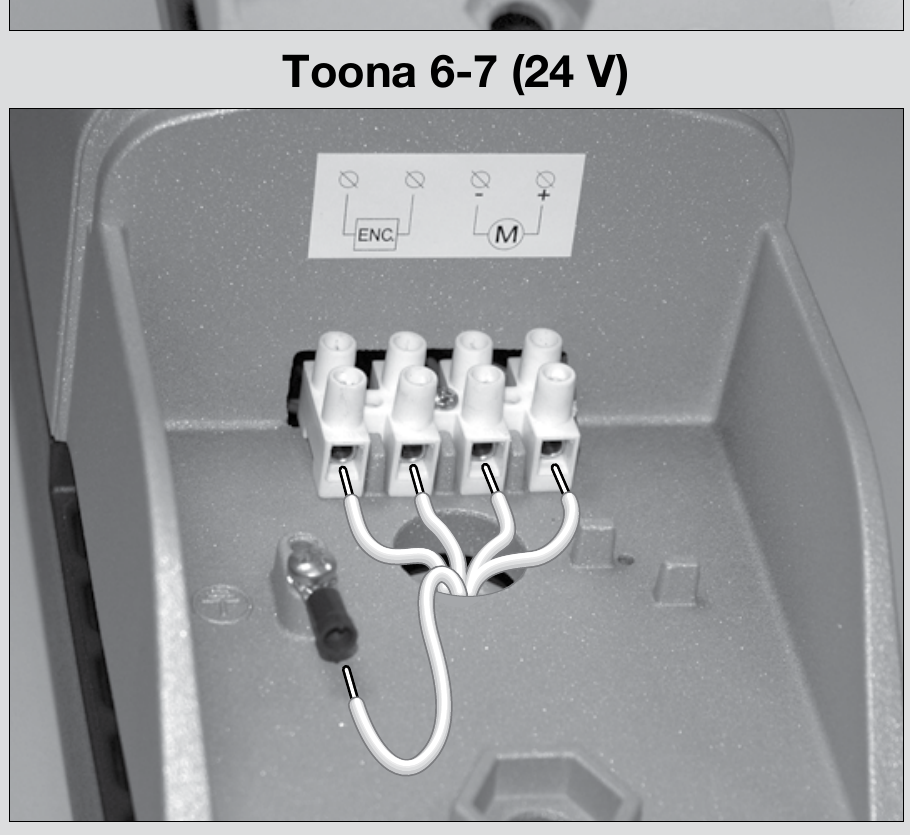
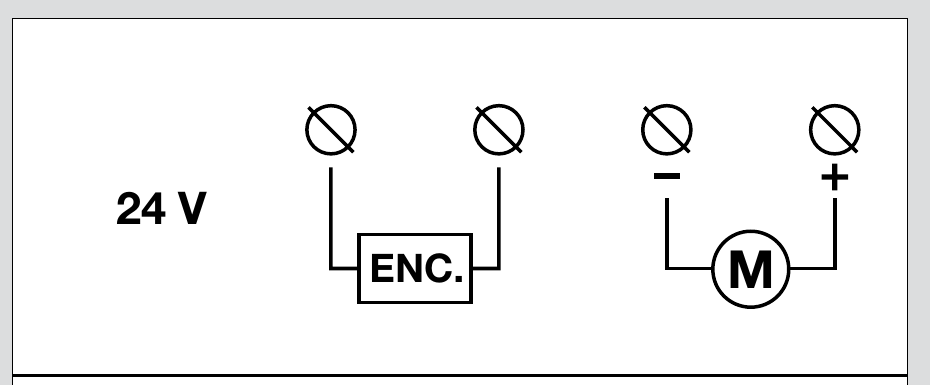
When opening outward, the motor supply polarity changes according to NICE. The mounting geometrymust also be designed correctly; simply changing the wires is not enough. Then check the direction of movement, stop positions and safety devices according to the instructions for the installed control board.
Internal opening and closing stops
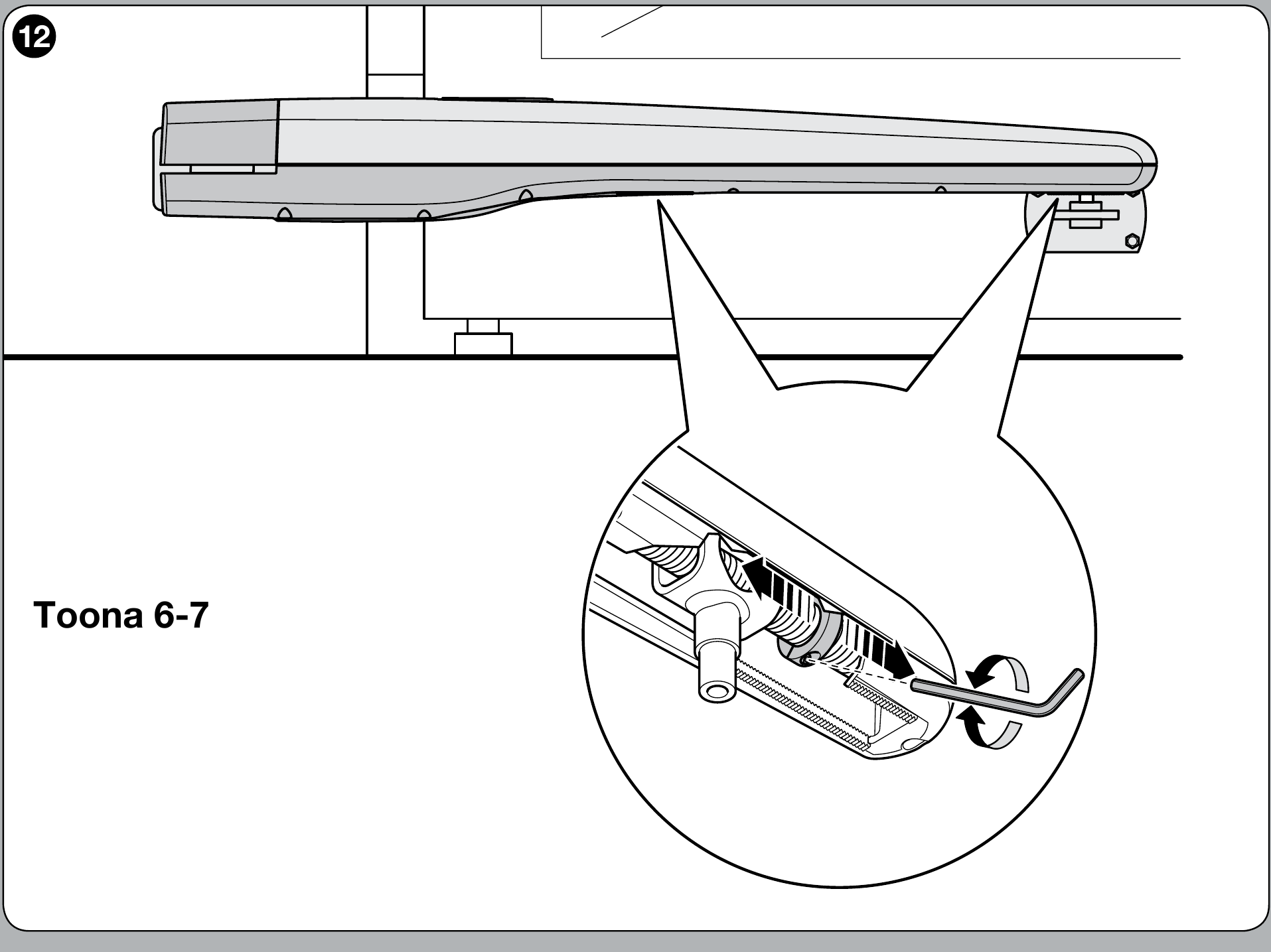
On the Toona 6–7 series, the mechanical stops are adjusted for both opening and closing.. Release the motor, move the gate leaf until the stop screw is accessible, loosen it, manually set the desired open position, slide the stop up against the pin and tighten it. Repeat the same procedure at the desired closed position, then re-engage the motor. Check the final positions and the safety of the entire gate during testing.
Testing before first use
After installation and adjustment of the stops, a qualified technician must test the entire gate, not just the motor starting up. With the drive released, NICE specifies checking that the gate leaf can be moved manually with a force of no more than 390 N.
- Check that the gate moves smoothly by hand throughout its full travel, that the brackets are secure and that the drive can be safely released.
- Repeatedly test the open, stop and close commands; check the direction, run-on, stops and, for two-leaf gates, their sequence according to the control unit instructions.
- Test the photocells, safety edges and any other installed safety devices individually. The technician measures the operating forces in accordance with applicable requirements; the gate may be used only after it passes the test.
TO7024 installation examples
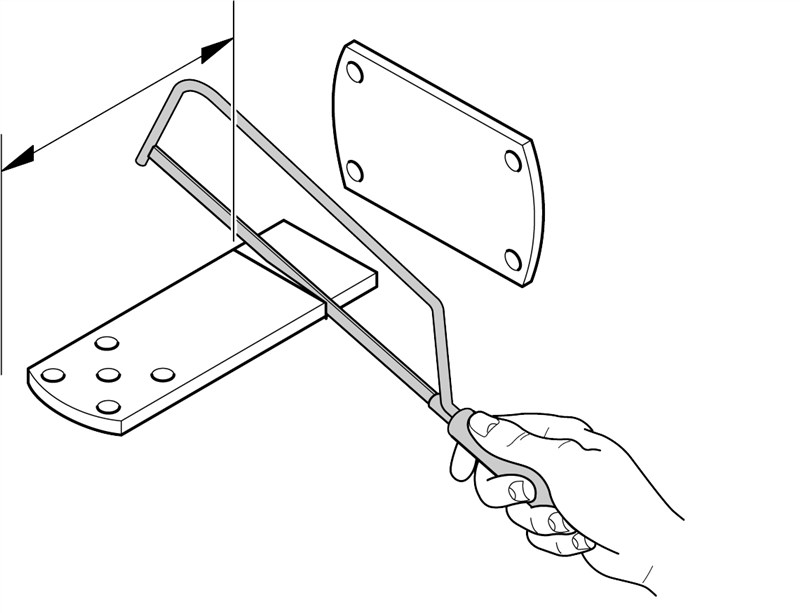
Shortening the rear bracket after determining the mounting dimensions
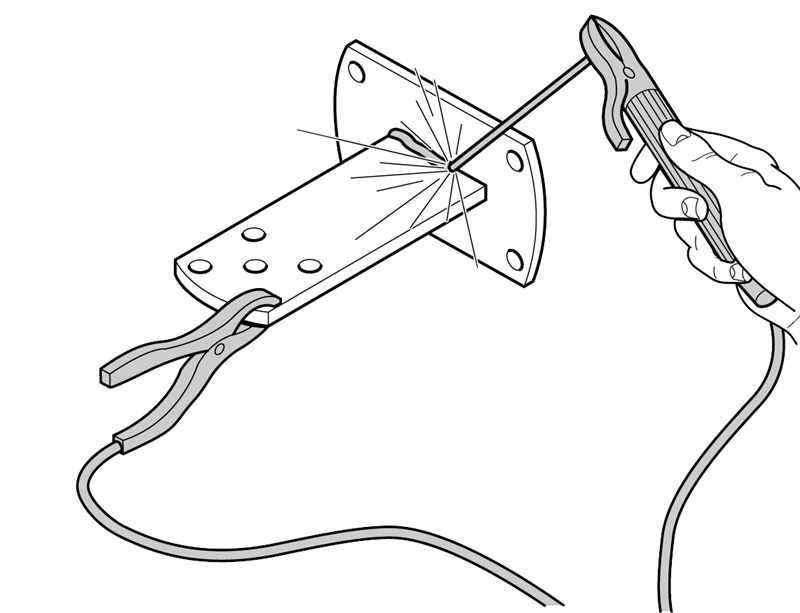
Welding the rear bracket to the mounting plate
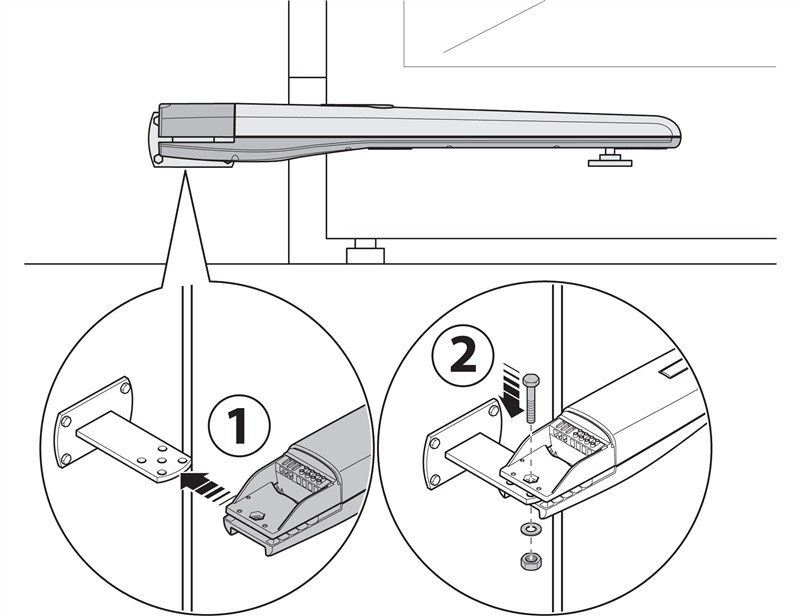
Attaching the drive to the rear bracket
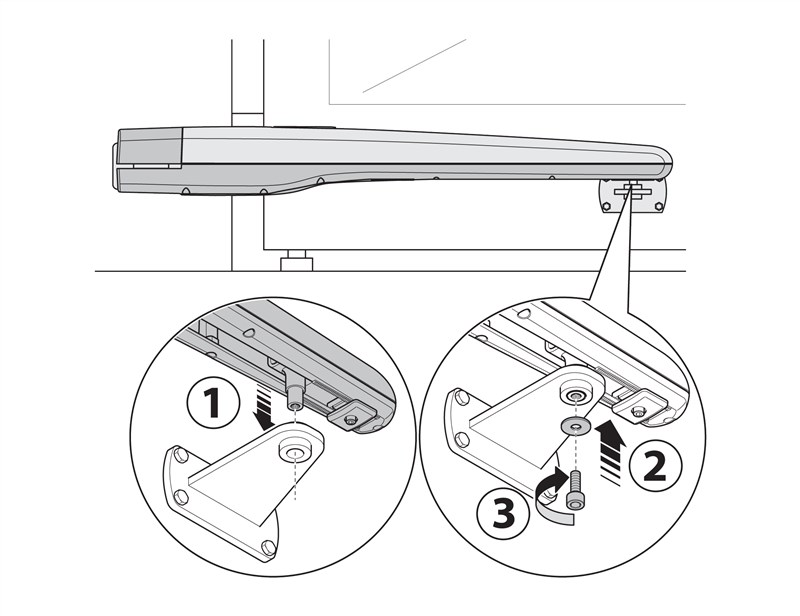
Attaching the TO7024 to the front bracket
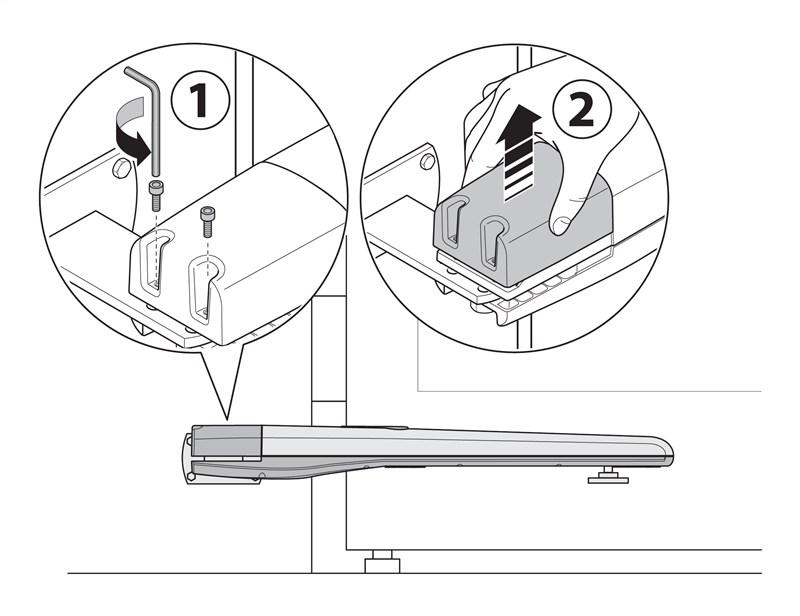
Removing the drive cover before routing the cable
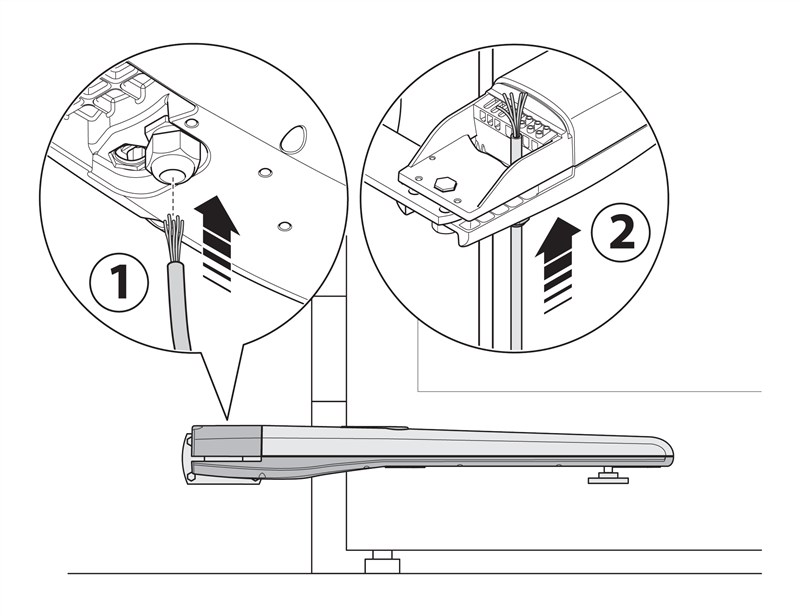
Routing the cable into the drive
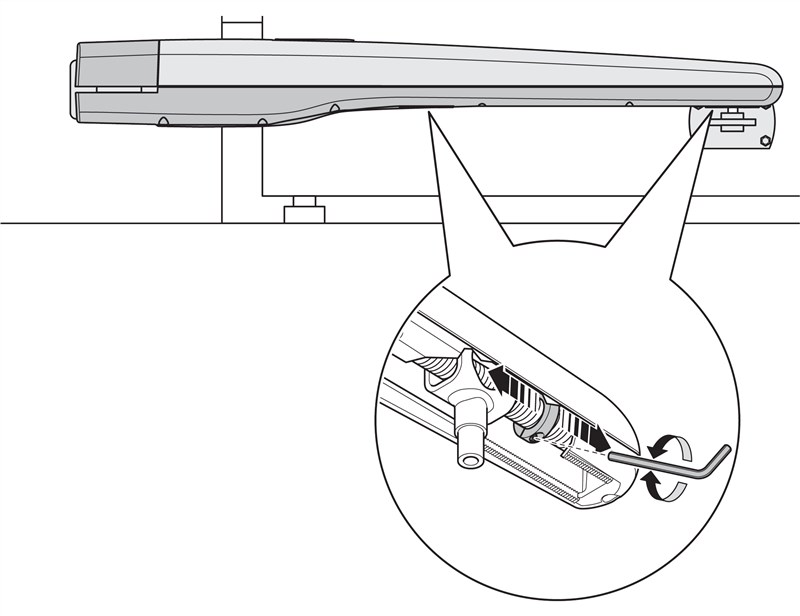
Demonstration of adjusting the TO7024 internal stops
Manual release of the drive
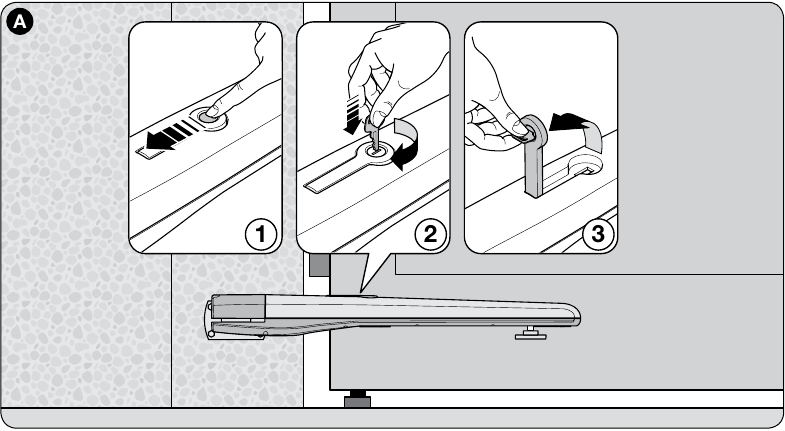
Release or re-engage the drive only when the gate leaf is stationary.. If an electric lock is installed, unlock it first. In the event of a fault, disconnect the power supply.
- Slide the release lock cover aside.
- Insert the supplied key and turn it clockwise.
- Lift the lever and move the gate leaf by hand. To re-engage the drive, lower the lever, turn the key back, remove it and close the cover.
Inspection and maintenance
Servicing at least every 6 months must be carried out by a qualified technician. After disconnecting the power supply, the technician checks the mountings, corrosion, wear, bolted joints and lubrication of the screw and nut. After restoring power, the technician tests the movement, release mechanism and all safety devices.
NICE Toona series installation photos
The photos show different Toona configurations. For the TO7024, use the NICE model drawings above for mounting dimensions and wiring; the terminal block photo is for reference only.
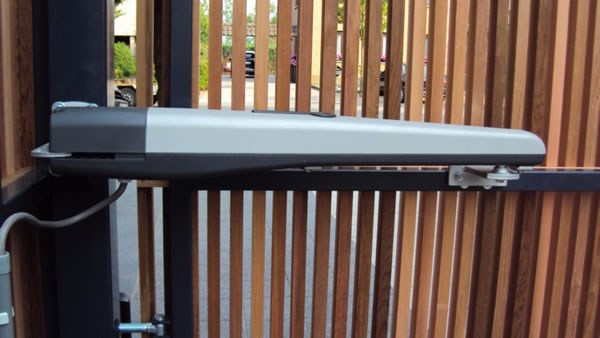
NICE Toona drive on a swing gate with slatted infill
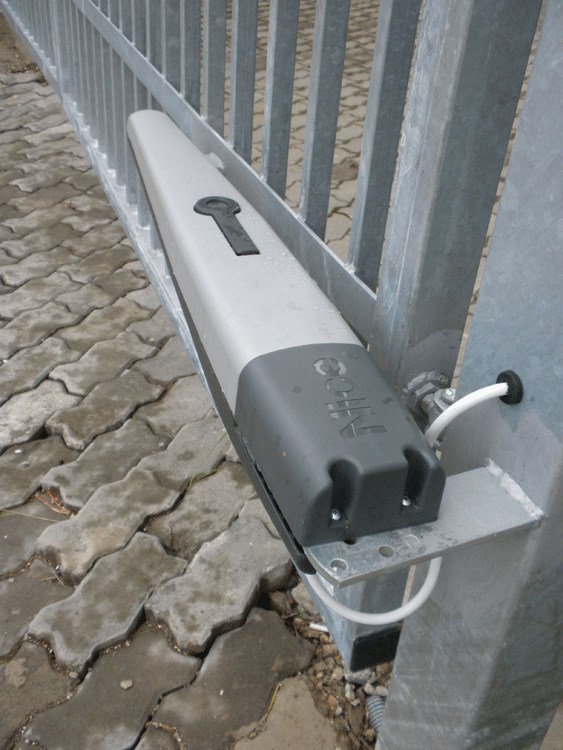
NICE Toona drive mounted on a steel post
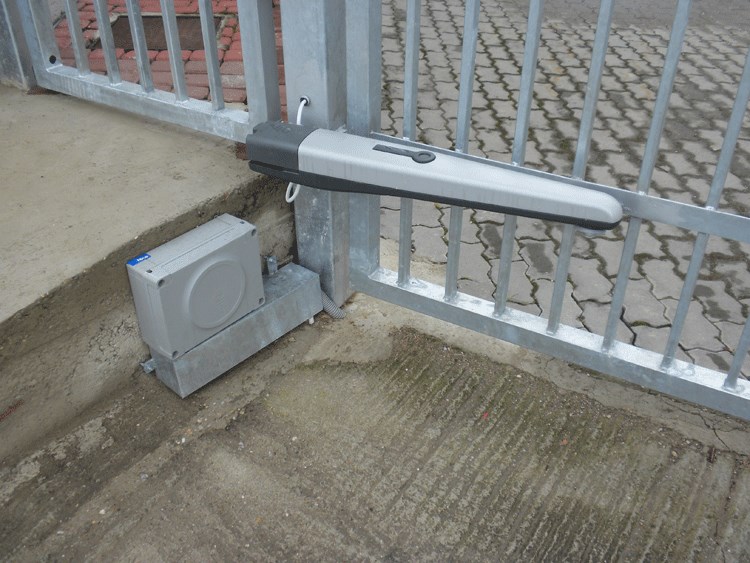
Swing gate with Toona drive and separate control cabinet
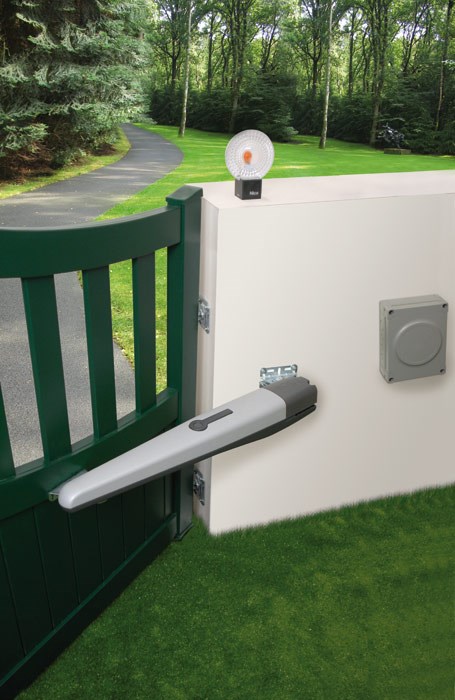
NICE Toona operator on a green swing gate
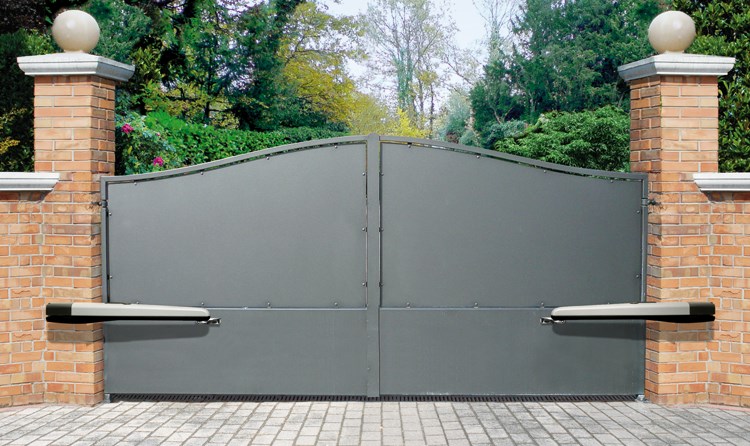
Double-leaf gate with two NICE Toona operators
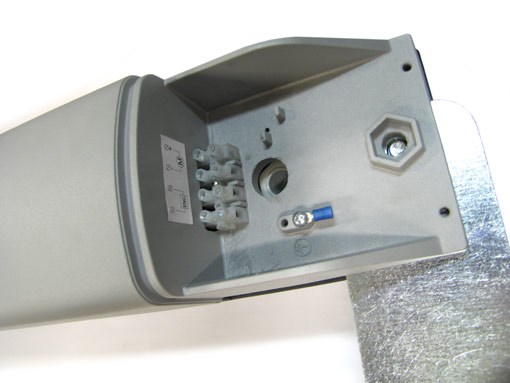
Illustrative photo of the terminal block for a Toona 24 V operator
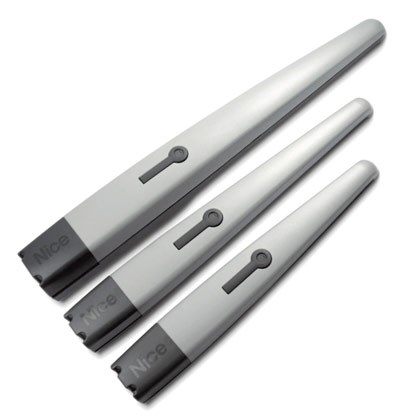
Comparison of NICE Toona operator lengths
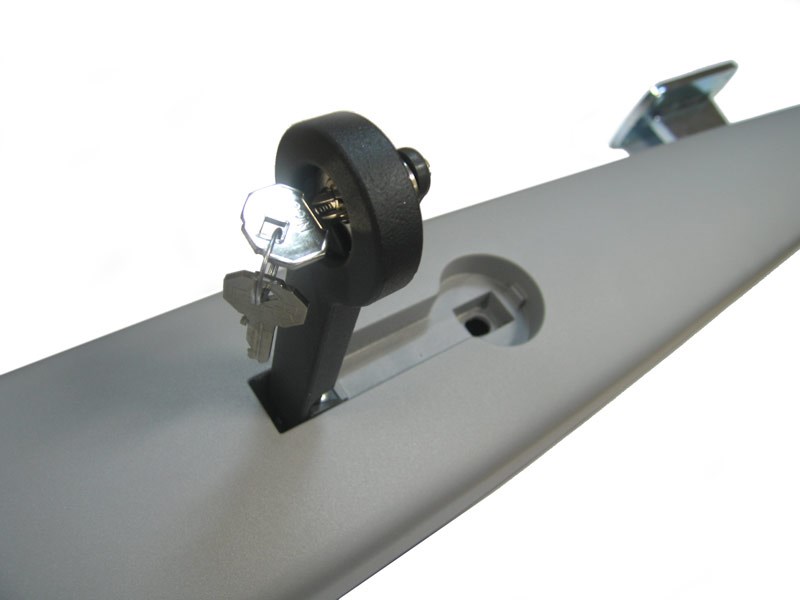
NICE Toona operator manually released
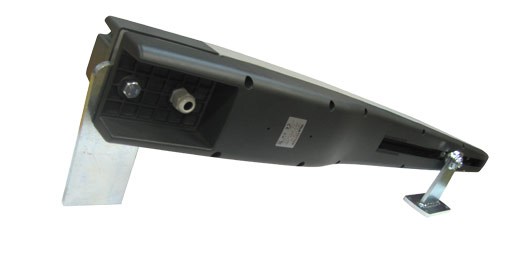
View of the underside of the NICE Toona operator
Technical specifications
| Parameter | Value |
|---|---|
| Model | TO7024 |
| Motor voltage | 24 V DC |
| Maximum / rated current draw | 5 A / 2.5 A |
| Maximum / rated power consumption | 120 W / 60 W |
| Stroke | 584 mm |
| 0.013 m/s | 0,013 m/s |
| Maximum / rated force | 2 700 N / 1 400 N |
| Cycles per hour at rated force | 41 |
| Protection rating | IP44 |
| Operating temperature | −20 to +50 °C |
| Insulation class | F |
| Estimated service life | 80 000 to 250 000 cycles, depending on load |
| Dimensions L × W × H | 1 200 × 128 × 150 mm |
| Motor weight | 15 kg |
How can I order this item?
Choose the option that suits you:
- order online: use the buy button to add the goods to your shopping cart (you will find the buy button here in the product variants table).
- order by email: place your order at [email protected]






