NICE barriers and booms
Professional barrier gates from Italian manufacturer Nice
Barrier gates are a simple and effective way to control entry to and exit from sites, businesses, companies, car parks and other secured areas. A barrier gate can therefore serve as a parking barrier, road barrier, entrance barrier or security barrier alongside a sliding gate.
In this article, you’ll learn about:
- Features and benefits of barrier gates
- Types of barrier gates
- Comparing models and operating cycles
- Boom length and clear passage width
- Special offer kits
- Our range of barrier gates and parking barriers
- Barrier gate control options
- Installation example
- Barrier gate video presentation
- Site preparation for barrier gates
- Barrier gate speed
Benefits of barrier gates
- Reliable equipment
- Space-saving design with minimal site preparation
- High-quality construction and lasting colour
- The barrier gate cabinet is also available in stainless steel (INOX).
- A wide choice of control options
- Option to connect backup power supply, and, on compatible BAR models, Solemyo solar power
- Easy manual release (in the event of a power failure)
- We’ll put together the ideal setup for your needs.
- Certification
Types of barrier gates
Nice barrier gates are divided into the WIDE and BAR ranges. When choosing, compare the specific model, the required passage width, the number of openings per hour and the control options you need.
NICE WIDE models are suitable for regular use and, depending on the model, can handle up to 100–300 cycles per hour. They can be fitted with a backup battery.
NICE BAR models do not all offer the same performance. The M3BAR is suitable for very intensive use and fast vehicle throughput. For the M5BAR, M7BAR and L9BAR, boom length is also an important factor. The S-BAR is rated for a maximum of 100 cycles/h, which is fewer than the WIDE M.
Control unit and backup battery
The WIDE is easy to set up for everyday use. The BAR offers more advanced features. The S-Bar has its own control unit, different from those in the M-Bar and L-Bar.
| Barrier gate range | Control unit settings | Backup battery |
|---|---|---|
| WIDE S, M, L | WIA20R10: microswitches and trimmers. | PS324 |
| S-Bar | XBA20R10: buttons and LEDs. | PS124 |
| M-Bar, L-Bar | BCU1R10: display and joystick. | PS224 |
The S-Bar supports cycle counting and maintenance alerts. The M-Bar and L-Bar also allow two opposing barrier gates to be synchronised in master/slave mode.
Comparing models and maximum number of cycles
One cycle consists of opening and closing the barrier gate. The key factor is the number of openings during the busiest hour, not just the daily average.
| Model | Max. cycles/h | Opening time |
|---|---|---|
| WIDE S | 100 | from 4 s |
| WIDE M | 300 | from 3.5 s |
| WIDE L | 200 | from 5 s |
| S-BAR | 100 | from 4 s |
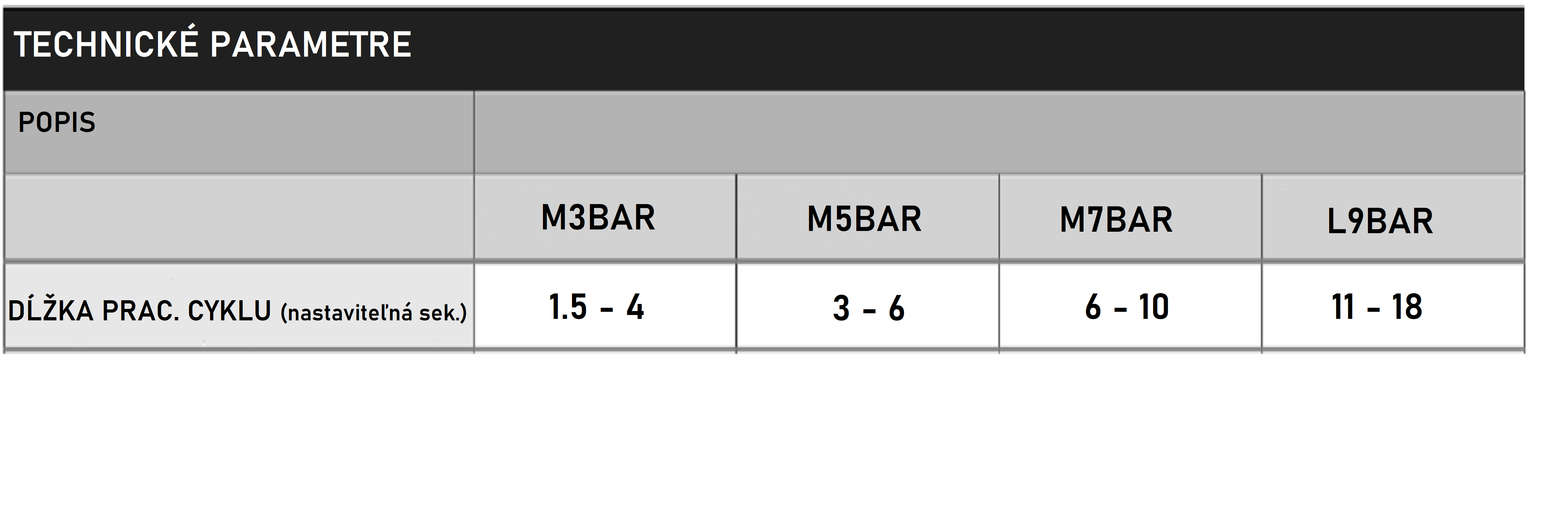
| M3BAR | 500 | 1.5–4 s |
| M5BAR | 350 | 3–6 s |
| M7BAR | 200 | 6–10 s |
| L-BAR (L9BAR) | 150 | 11–18 s |
These are the manufacturer's maximum values at the rated load. The actual operating frequency depends on the boom, accessories and settings. For the S4BAR with XBA4 lighting, the maximum is 80 cycles/h and the opening time is over 5 s. The stated cycle figures are not a guaranteed number of vehicles served.
BlueBUS, backup battery and solar power
BlueBUS simplifies the connection of compatible photocells and other accessories using two wires. These wires provide both power and communication for the accessories. The S-BAR, M-Bar and L-Bar use BlueBUS, while WIDE models use conventional relay photocells.
When ordering photocells, choose the right type: for WIDE, relay-type EPM, for S-Bar, M-Bar and L-Bar, EPMB with BlueBUS.
The backup battery is connected separately, not via BlueBUS. It is also available for WIDE models. Solemyo solar power is designed for compatible BAR models; it is not supported by WIDE. Choose a specific solar kit according to the model and its control unit. Mobile phone control is another separate add-on, depending on the module used.
Barrier gates use 24 V motors, which means they can also be used in near-continuous operation. Barriers feature ammeter protection. When the barrier arm hits an obstacle, the current draw rises and the control unit detects that the arm has hit an obstacle. After detecting an obstacle, the arm can stop or return to the open position (depending on the setting).
Discounted kits
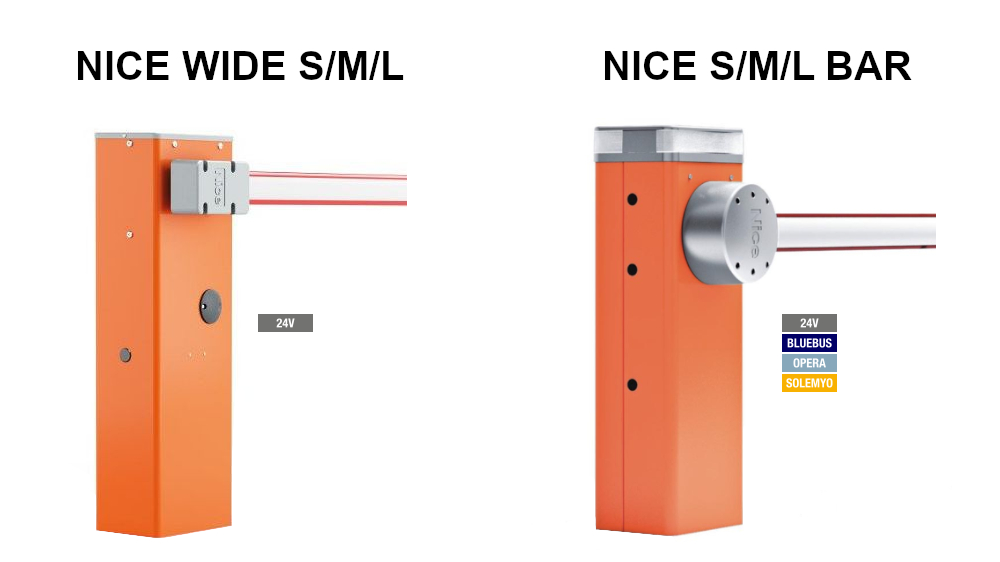
We offer barriers in discounted kits. These include not only the barrier and arm themselves, but also accessories such as receiver, remote control, photocells and warning light. The kit also includes impact-resistant rubber for the arm, and kits with two arms also include an connector for these arms.
We primarily classify the kits by arm length and the barrier model, which will raise the arm. Arms are available in lengths of 3, 4 and 5 metres, but thanks to the original connector, the total length can be configured up to 9 metres. We classify the barriers by lifting force, arm lifting speed and the number of cycles, which they perform per hour.
Arm length and clear passage width
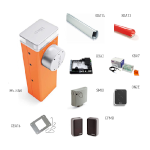
Arm length is not the same as the clear passage width. The clear passage width is the unobstructed width available for a vehicle when the barrier is open. First measure the required passage width, then choose the arm and barrier according to the installation drawing.
| Model | Clear passage width according to the manual | Arm included in the kit (nominal length) | Available kits |
|---|---|---|---|
| WIDE S | Depending on installation* | 4 m | 4 m kit |
| WIDE M | Depending on installation* | 4 m | 4 m kit |
| WIDE L | Depending on installation* | 5 / 6 / 7 m | 5 m kit 6 m kit 7 m kit |
| S-BAR | up to 4 m | 4 m | 4 m kit |
| M3BAR | 2.32–2.82 m | 3 m | 3 m kit |
| M5BAR | 3.17–4.82 m | 4 / 5 m | 4 m kit 5 m kit |
| M7BAR | 5–7 m | 6 / 7 m | 6 m kit 7 m kit |
| L-BAR (L9BAR) | 7–9 m | 8 / 9 m | 8 m kit 9 m kit |
* For WIDE, the stated measurement is the nominal length of the arm included in the kit, not a guaranteed clear passage width. Clear passage width depends on the barrier housing installation and how the arm is mounted. For M-Bar/L-Bar, the ranges shown are taken from the manuals for M3BAR, M5BAR, M7BAR and L9BAR. Accessories fitted to the arm may reduce the usable length.
For example, the arm NICE XBA15 is physically 3,150 mm long. For the M3BAR, the manual specifies a maximum clear passage width of 2.82 m. Therefore, the “3 m” kit designation does not automatically mean a 3 m clear passage width.
We can customise kits to your specifications if you have specific requirements.
Our range of barriers and boom gates
We also offer barriers and arms separately, so you can put together the complete assembly yourself. However, you need to check that the individual parts are compatible, and we're happy to advise you. Technical support is also available.
We also offer other barrier accessories, such as arm support, folding support, aluminium skirt under the arm or folding joint for arms for low-clearance spaces.
For low-clearance spaces: folding joint WIA11 is for WIDE M, XBA11 for M3BAR and M5BAR. Measure the ceiling height before choosing. For support and skirt options, check which combinations with the arm are approved and ensure it is properly balanced.
A separate category is safety. Nice barriers have integrated obstacle detection, which immediately reverses the arm if it hits an obstacle.
For added safety, the barrier can also be fitted with safety photocells, protective rubber strips or various warning beacons, traffic lights and lights. Recommended accessories include reflective stickers, which are applied directly to the barrier arm. They make the arm itself more visible, helping to prevent frequent collisions with it.
An external traffic light can be connected to both WIDE and BAR barriers. The built-in XBA8 for the top cover is designed for M-Bar and L-Bar. For an external traffic light, select the correct voltage, power rating and wiring for the control unit.
A strong impact to the arm can damage the barrier arm. On selected models, the arm can be fitted with a swing-away mount that helps reduce damage to the barrier in the event of an impact..
- NICE WIA10 - bracket for side-folding the arm for WIDE S and WIDE M, for arms up to 4 m.
- NICE XBA10 - bracket for side-folding the arm for M3BAR and M5BAR, for arms up to 4 m.
This is optional accessory equipment. The arm does not automatically detach on every barrier as standard.
A popular upgrade for a barrier is a magnetic metal detector. It can detect metal parts of a vehicle and then send a command to the barrier. This can enable a fully automated system that opens the barrier when a vehicle is detected, or a parking-space counter that tracks vehicles entering and leaving.
Detectors for compatible M-Bar and L-Bar control units include LP21 and LP22 and an induction loop kit. The detector itself detects the vehicle. Counting available spaces or controlling alternating traffic with traffic lights also requires a suitable controller.
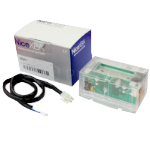
Barrier control options
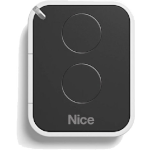
A barrier is an electronic device that is most commonly operated using a standard remote control. You can buy and pair additional remotes at any time. They can also be easily deleted from the system. The barrier receiver can work with hundreds of remotes (for example, the NICE OXIBD receiver has a memory capacity of 1,024 codes).
Remotes and receivers in our range
For everyday use, choose from several NICE ranges with rolling-code technology. As with Robus operators, compatibility with the receiver and its coding system is key.
| Application | Remote and receiver |
|---|---|
| FloR and Era FloR | FLO2R-S and FLO2RE: 2 channels. FLO4R-S and FLO4RE: 4 channels. |
| Era One | ON2E: 2 channels. ON4E: 4 channels. ON9E: 9 channels. |
| Era INTI | Two-channel remotes available in these colours: INTI2 black, INTI2Y yellow, INTI2L pink, INTI2B blue, INTI2R red, INTI2G green. |
| MYGO | MYGO2, MYGO4 or MYGO8: 2, 4 or 8 channels. |
| Two-way communication | ON3EBD + OXIBD |
| Extended radio range | ON3ELR + OXILR. LoRa requires an OXILR receiver. Range depends on the surroundings and the antenna. |
A kit is also available for adding an external receiver: INTIKIT with an INTI receiver and remote controls.
The frequency and rolling code alone do not guarantee compatibility. If you’re buying an additional remote for an existing barrier, you can send us the receiver’s model or a photo of it.
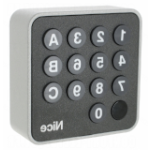
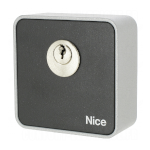
However, all other control options are also available: keypads, card readers, wireless buttons for a wall or gatehouse, automatic timers, key switches or phone control. Another advantage of Nice barriers is the option to connect external devices from other manufacturers.
The keypad can control up to 3 devices. It is easy to use: simply enter your own 4–8-digit numeric code on the keypad.
Card readers are a popular control option. Simply hold a contactless card or key fob up to the reader and the barrier opens.
Wireless buttons work like remote controls. The buttons are suitable for a fixed location, such as on a wall next to a light switch.
If you want the barrier to open and close at specific times, automatic timers. They send the barrier a command according to the set time—hours and minutes.
To phone control you can use a GSM module or modern solutions via a Wi-Fi module. A GSM module takes a standard telephone SIM card with its own number. When you call that number and let it ring, the module sends a command to the control unit and raises the barrier (or opens the gate).
A Wi-Fi module also connects to the control unit and sends it commands. The Wi-Fi module works via a mobile app and the internet, but it must be within range of your own (home) Wi-Fi network.
The barrier cannot be moved manually; when closed, it is locked in place. In practice, this means you cannot force the barrier open by hand.. The package includes a release key that disengages the gearbox, allowing you to raise the barrier easily. This is mainly used during a power outage.


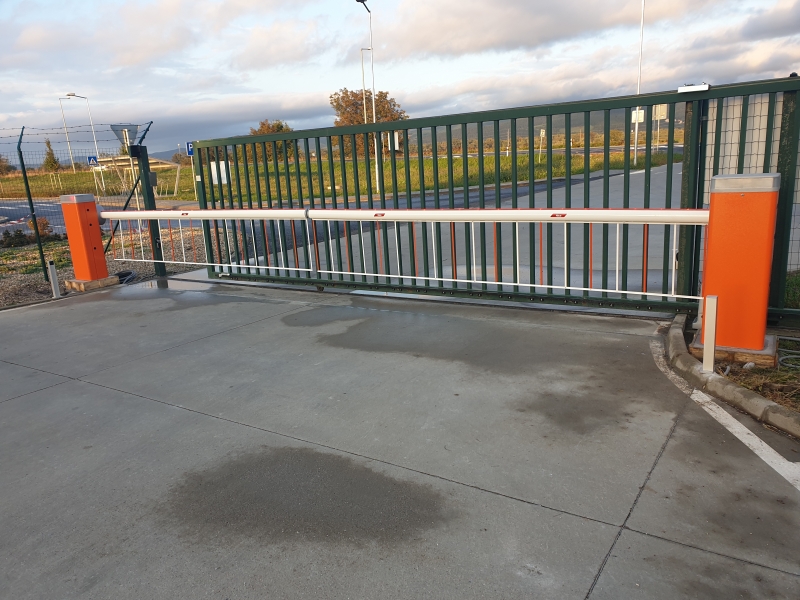
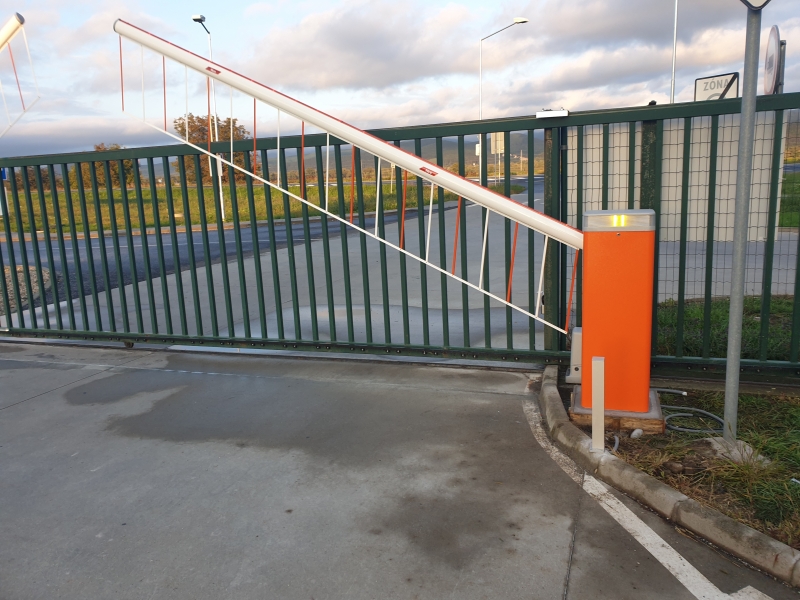
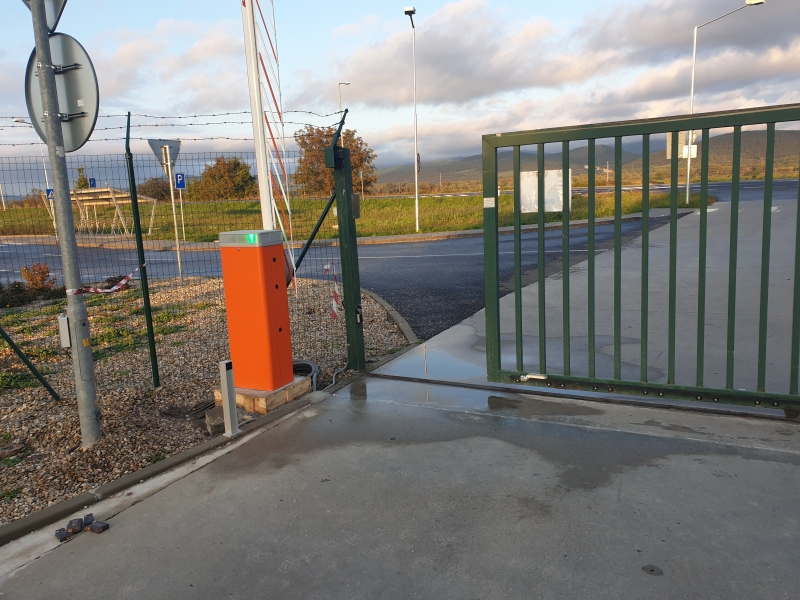
Installation example
Your order includes a complete manual with drawings and diagrams.
Nice Wide barrier video presentation
In this short video presentation of the Nice Wide barrier, you can see how the barrier works and what it consists of, along with a few details, such as: release key; anti-impact function, which makes the barrier reverse when it detects an obstacle; folding joint; arm extension option and more.
If you have any further questions about barriers or need help choosing the right unit, feel free to contact us by email at [email protected]
Ground preparation for barriers
The barrier should be anchored to a concrete base, ideally below the frost line, at a depth of approx. 80cm, depending on the location. Each barrier includes a galvanized steel mounting plate. The plate is used to anchor the barrier. You can find the dimensions of each plate on the product page:
- NICE SIA1 - foundation plate for WIDE S, WIDE M and S-BAR barriers
- NICE SIA2 - foundation plate for the NICE WIDE L barrier
- NICE XBA16 - foundation plate for the M-BAR barrier
- NICE XBA17 - foundation plate for the L-BAR barrier
The mounting plate has an opening for cable entry. At this point, provide a 220V power supply, ideally on a dedicated 6A circuit breaker. We recommend separating the low-voltage wiring from the 220 V power supply.
Foundation preparation for NICE WIDE barriers
01. Choose the steps according to the condition of the foundation
Decide where the barrier and the individual system components will be installed.
- If you don't yet have a concrete foundation, start with step 02.
- If the concrete foundation is already in place, continue with step 06.
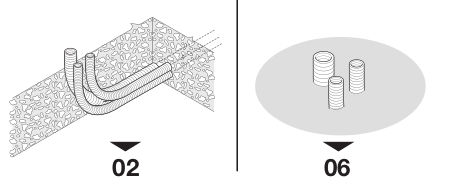
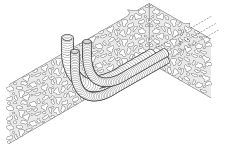
02. Prepare the excavation and cable conduits
Dig a hole for the foundation and prepare conduits for the electrical cables. Cable types are listed in the wiring table below.
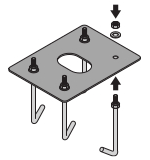
03. Attach the anchor bolts to the mounting plate
Attach four anchor bolts to the mounting plate. Secure each one with a nut above the plate and another below it.
Important: Screw the lower nut all the way to the end of the thread.
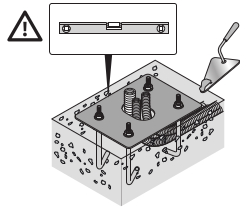
04. Set the mounting plate in concrete
Fill the excavation with concrete and position the mounting plate with the anchor bolts.
Important: While the concrete is setting, use a spirit level to check that the mounting plate is perfectly level.
05. Allow the concrete to cure
Wait for the concrete to cure. The manufacturer generally recommends at least two weeks. Then unscrew the four upper anchor nuts.
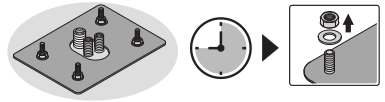
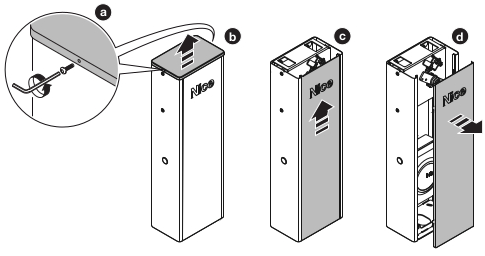
06. Prepare and secure the barrier housing
- a/b: Unscrew the screws and remove the top cover.
- c/d: Remove the housing door.
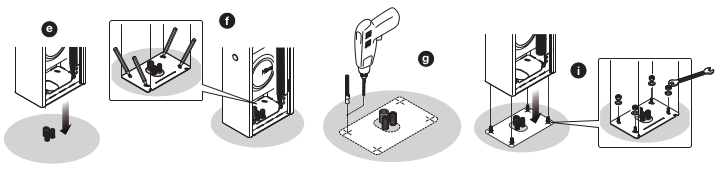
Anchoring to an existing concrete foundation: The following drilling procedure is for installation with expansion anchors, not for a mounting plate with anchors already set in concrete as in steps 03 to 05.
- e/f: Position the housing and mark the anchoring points through the mounting holes.
- g: Drill holes in the substrate at the marked points.
- h: Insert four expansion anchors. Not included.
- i: Position the housing and secure it with nuts and washers. For this anchoring method, the nuts and washers are not included.
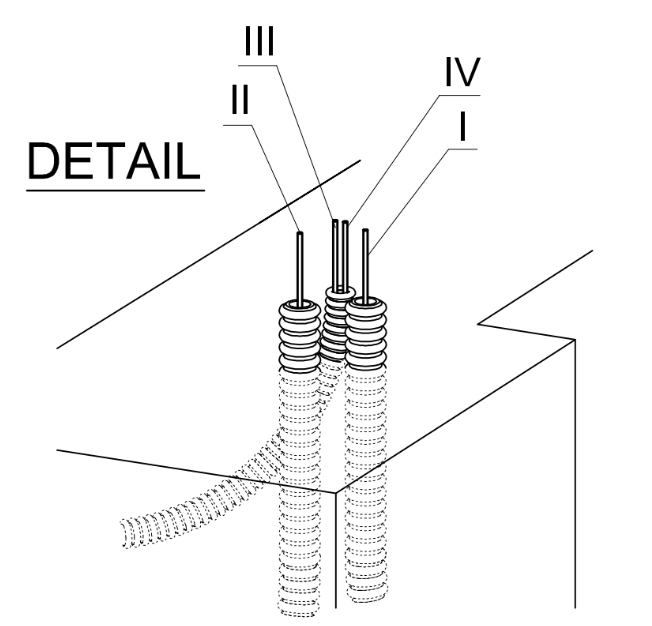
The remaining wiring depends on the accessories selected. The most common setup is:
| Connection | Nice WIDE | Nice BAR |
|---|---|---|
| I - power supply (230 V) | 1 pc. 3x1,5mm2 | 1 pc. 3x1,5mm2 |
| II - left photocell connection | 1 pc. 2x0,25mm2 | 1 pc. 2x0,5mm2 |
| III - right photocell connection | 1 pc. 4x0,25mm2 | 1 pc. 2x0,5mm2 |
| IV - warning light connection | 1 pc. 2x0,5mm2 1 pc. shielded RG58 (or 50-ohm coaxial cable |
1 pc. 2x0,5mm2 1 pc. shielded RG58 (or 50-ohm coaxial cable |
Barrier speeds
The video compares the speeds of the M5-BAR and L-BAR barriers.
We’ll help you choose the right solution
Send us the opening width, the approximate number of openings per hour, and how you’d like to operate the barrier. A photo of the entrance or a simple sketch would also help. We’ll be happy to help you choose a barrier and suitable accessories.
Email: [email protected]
Phone:






