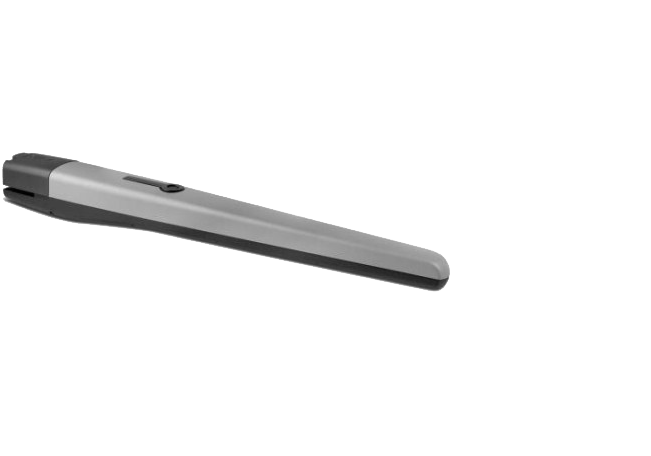
NICE Toona TO5016 - standalone operator for swing gates with a leaf up to 5 m/500 kg
| Product availability: | to the question | The product may not be available, contact us for more information. |
|---|

to the question
€440.94 including VAT
| Weight |
|---|
| 7,00 kg |
Description of NICE Toona TO5016 - standalone operator for swing gates with a leaf up to 5 m/500 kg
- Non-reversible
- 230V
- Slow
- With limit switches for opening and closing
Range of use
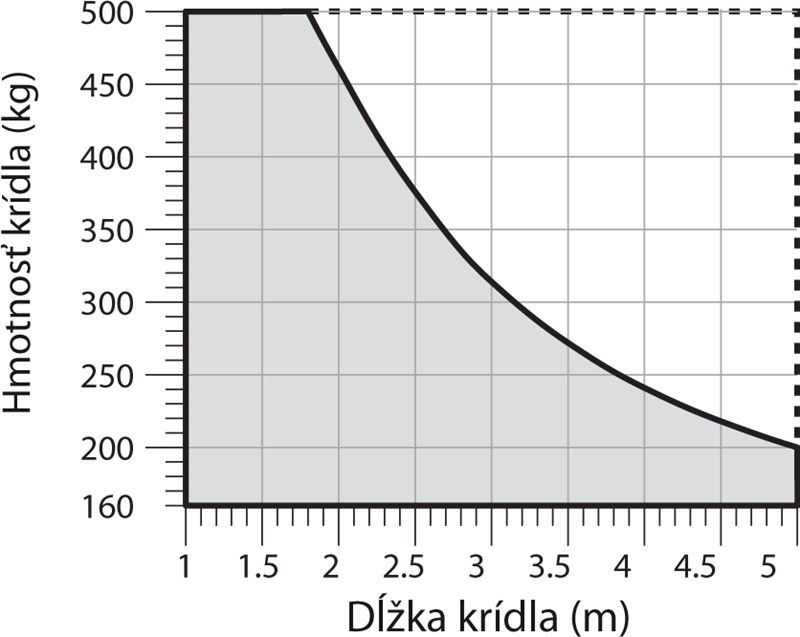
For a gate leaf weighing up to 500kg and measuring up to 5m, according to the following usage graph:
Compatible control units
Technical specifications
| Power supply | 230V |
|---|---|
| Current consumption | 1,5A |
| Power | 340W |
| Speed | 0,013m/s |
| Force | 1800N |
| Cycles/hour* | 54 |
| Protection rating | IP44 |
| Operating temperature | -20°C to +50°C |
| Dimensions | 965x115x105mm |
| Weight | 7kg |
* with optimal installation
I. Installing the rear mounting bracket
 |
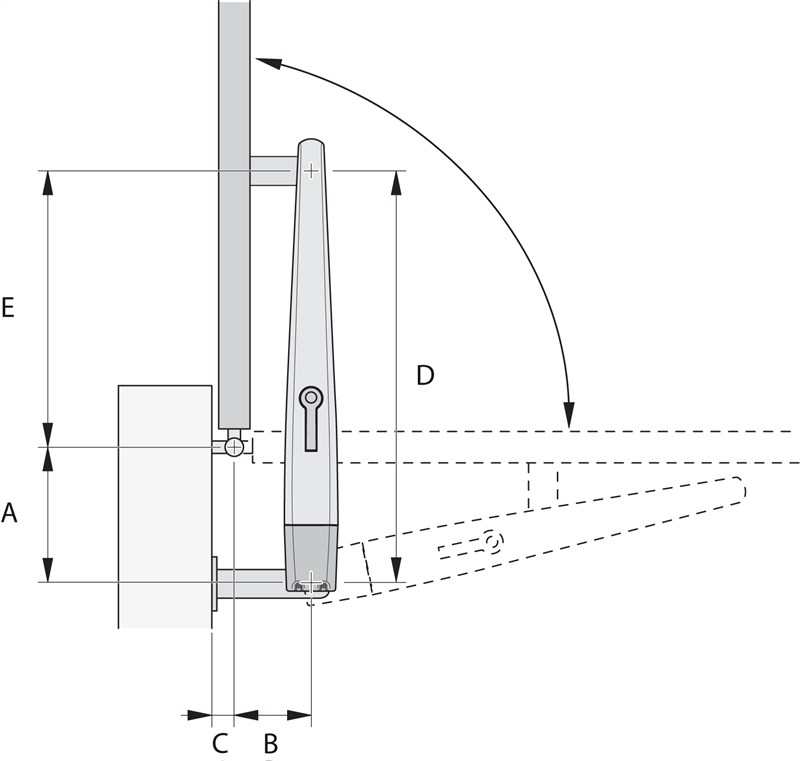 |
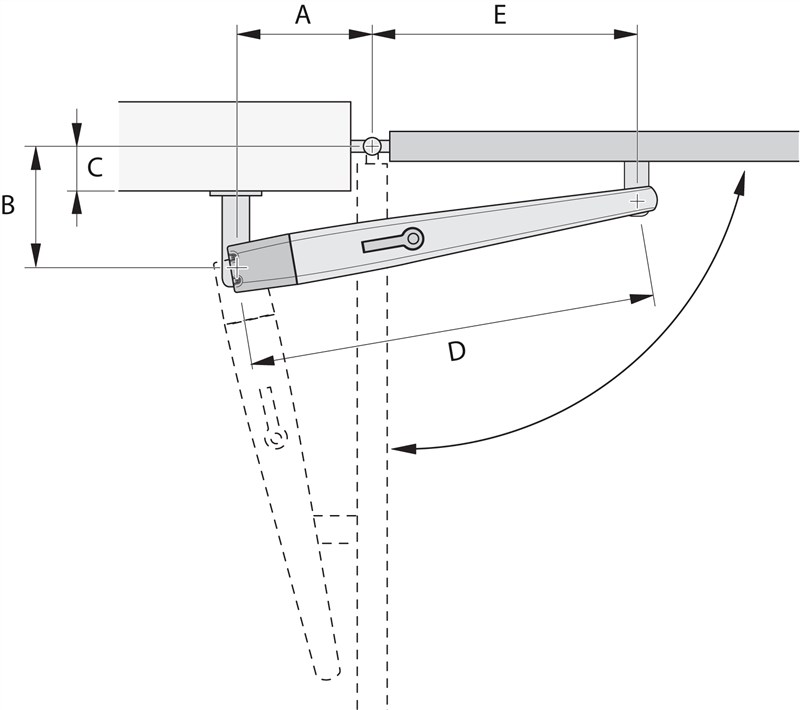
| Inward opening diagram | Outward opening diagram |
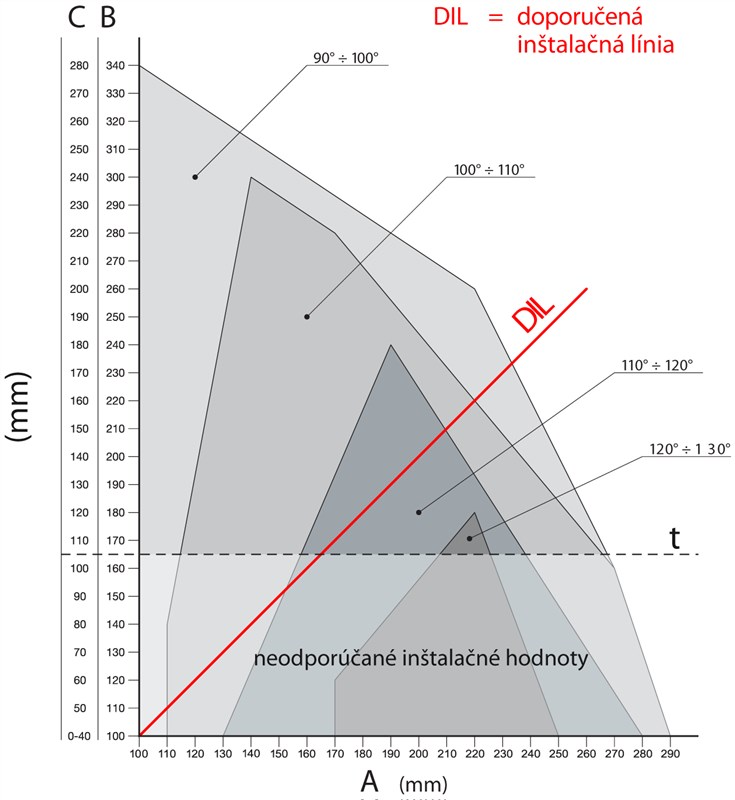
Determine the position of the rear bracket using the Graph, from which you can read the dimensions A and B and maximum opening angle. Note that the values A and B must be similar (ideally identical) to ensure smooth, linear movement of the operator.
 |
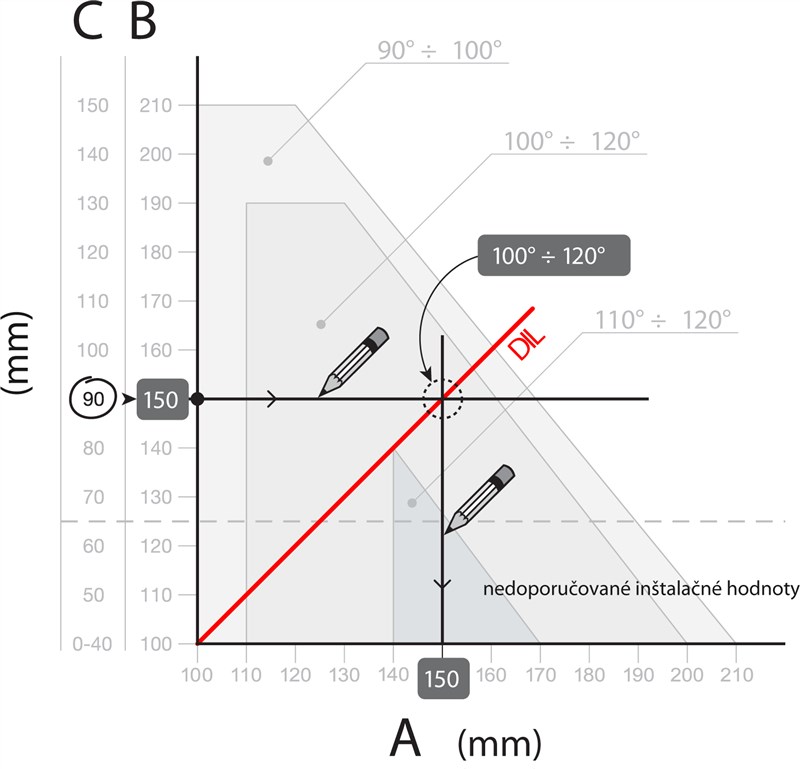 |
| Calculation graph | Example of reading values from the graph |
Calculation procedure:
- Measure the distance C from the Diagram
- On the Graph draw a horizontal line that intersects the measured value C
- The point where this line intersects the DIL (Recommended Installation Line) indicates the maximum opening angle
- If the intersection is below level t, you will need to adjust the values so that the intersection moves above this level
- If the intersection is above level t, everything is fine, but if the maximum opening angle is not suitable, you will need to adjust the value of A and, if necessary, the value of B, so that they are similar (ideally identical)
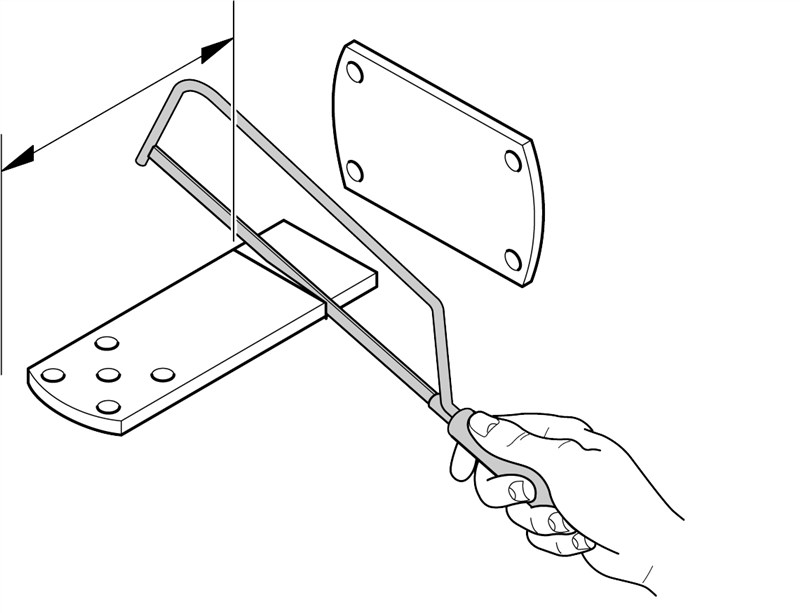
Before fastening the bracket to the post or wall, shorten it to the required length corresponding to the dimensions A and B and weld it to the mounting plate.
 |
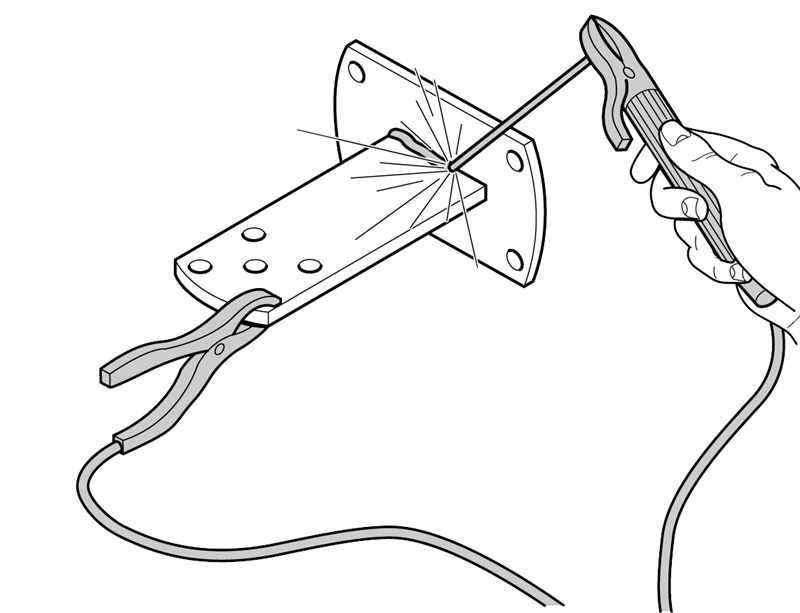 |
| 1. Cut the bracket to the required length | 2. Weld the shortened bracket to the mounting plate |
The package includes a 150 mm bracket. If you need a longer bracket for a special application, or need the gate to open outward, we recommend ordering the extended NICE PLA6 bracket.
|
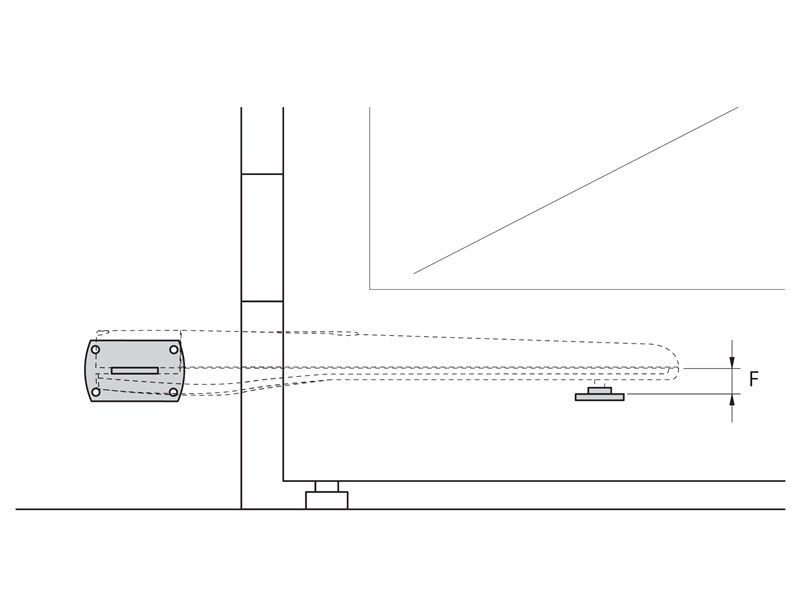
Before securing the rear bracket, check that the front bracket will be positioned on a solid part of the gate leaf, as there is a height difference between the front and rear brackets, as shown in the picture.
Difference F=44mm. |
 |
If everything fits, fasten the rear bracket to the post or wall using screws, wall plugs and washers.
II. Installing the front mounting bracket
The front bracket must be fitted to the gate leaf at a distance corresponding to the values D and E, which you can read from the Tables (value D is fixed and that is 880 mm):
| A | 100 | 110 | 120 | 130 | 140 | 150 | 160 | 170 | 180 | 190 | 200 | 210 | 220 | 230 | 240 | 250 | 260 | 270 | 280 |
|---|---|---|---|---|---|---|---|---|---|---|---|---|---|---|---|---|---|---|---|
| E | 780 | 770 | 760 | 750 | 740 | 730 | 720 | 710 | 700 | 690 | 680 | 670 | 660 | 650 | 640 | 630 | 620 | 610 | 600 |
The supplied package includes a bracket for welding. If you would prefer a screw-on bracket, we recommend ordering the alternative NICE PLA8 screw-on bracket.
- Calculate from the table the value E
- Calculate the height according to the image bracket heights (view image)
- Attach the bracket to the gate leaf (if welding the bracket, we recommend tack-welding it for now only)
III. Installing the gate operator on the rear bracket
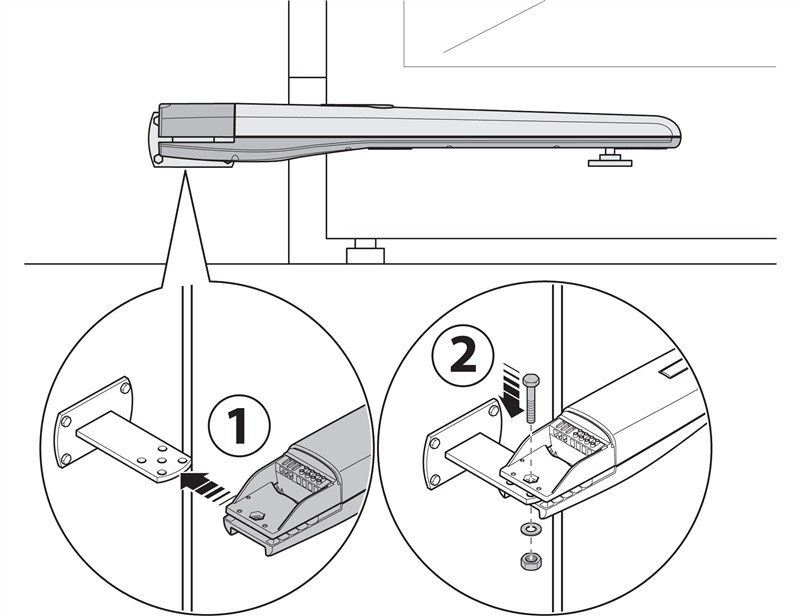 |
|
IV. Installing the gate operator on the front bracket
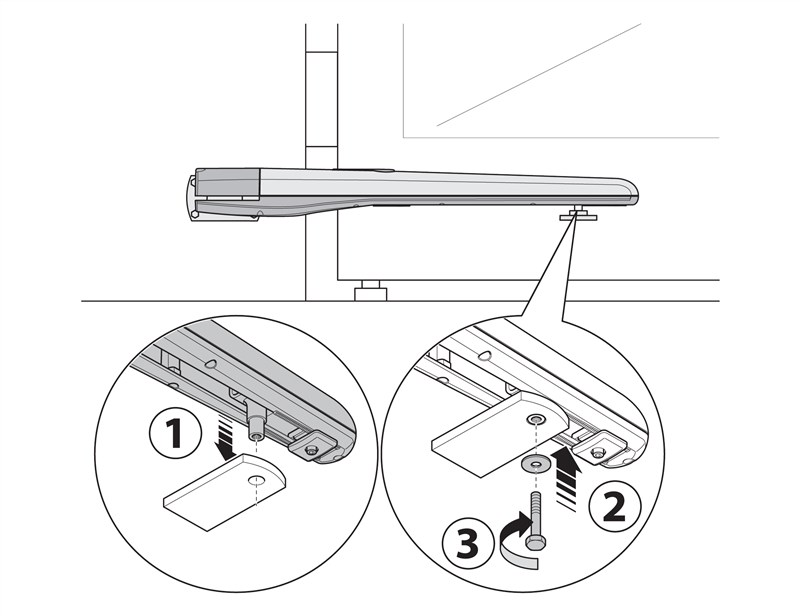 |
|
V. Adjusting the mechanical travel stop
If using the built-in mechanical travel stop, which the operator hits when opening, external ground stops are not required. Adjust it as follows:
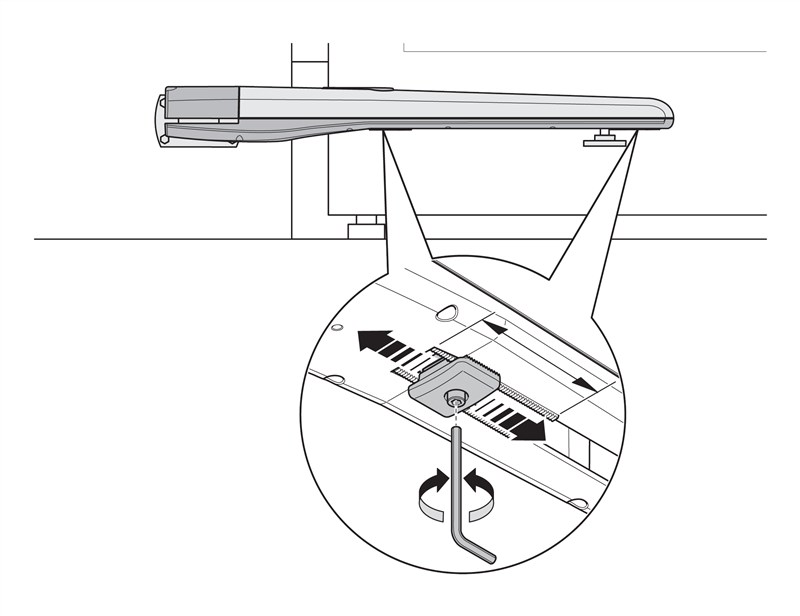 |
|
How can I order this item?
Choose the option that suits you:
- order online: use the buy button to add the goods to your shopping cart (you will find the buy button here in the product variants table).
- order by email: place your order at [email protected]






