NICE MoonTouch MOTX-R – wireless digital keypad
| Product availability: | replaced | This product is no longer manufactured, but fortunately it has been replaced by a newer model. |
|---|
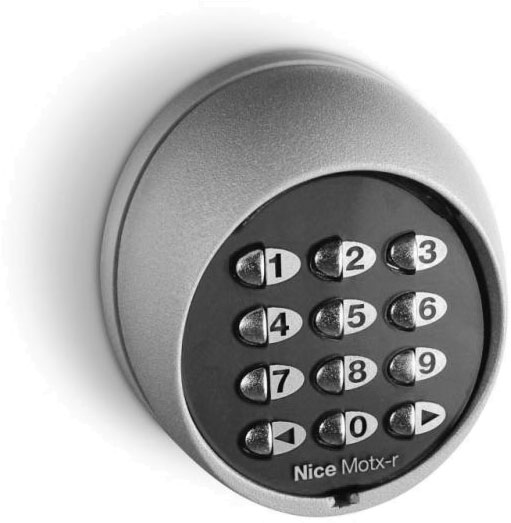

Description of NICE MoonTouch MOTX-R – wireless digital keypad
Wireless keypad NICE MoonTouch MOTX-R has been replaced by the NICE EDSWG wireless keypad.
 |
|
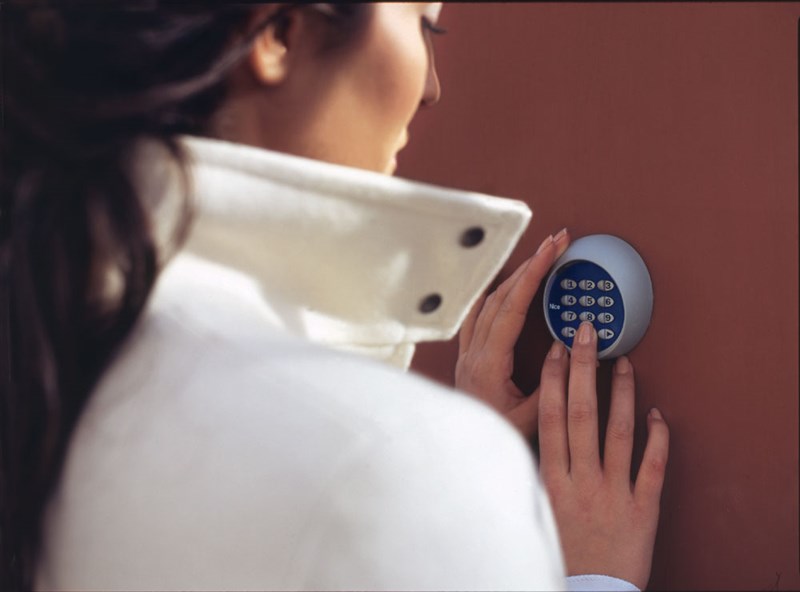
Works on the same principle as remote control, so it can be placed anywhere within signal range operator. It is also possible to install multiple keypads to one operator.
Description of the NICE MoonTouch MOTX-R digital keypad
 Wireless digital keypad NICE MOTX-R family NICE MoonTouch is a dual-channel remote control for controlling operators and automation systems by NICE with 433.92 MHz rolling-code technology NICE FloR. To execute a command entered on the keypad, you must first enter the correct security code. The keypad is suitable for indoor (range up to 35 m), and outdoor use (range up to 200 m). It is powered by a replaceable battery, so no additional electrical wiring is required. With 10 uses per day, the battery life is approximately two years. View all technical specifications >.
The keypad communicates with the user through beeps:
| Signal | Information |
|---|---|
| 1 short beep | Button press |
| 1 long beep | Automatic shut-off after 10 seconds of inactivity |
| 3 long beeps | Code change confirmed |
| 5 short beeps | Code change operation or incorrectly entered code |
| 10 rapid beeps | Low battery |
Installing the NICE MoonTouch MOTX-R wireless digital keypad
Before physically installing the keypad, we recommend testing its range and operation first. Please note that a low battery can reduce the range by 25–30%.
1. Choosing a location
Thanks to its IP54 protection rating, the keypad can also be installed outdoors. The keypad should notbe installed near metal objects and structures (and certainly not in contact with them), as they can block the signal. Before installation, carefully check that the keypad works properly, especially its range.
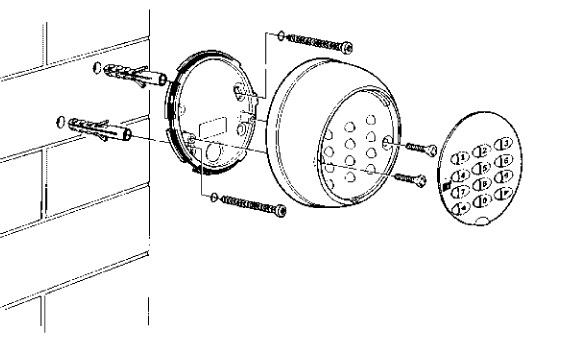
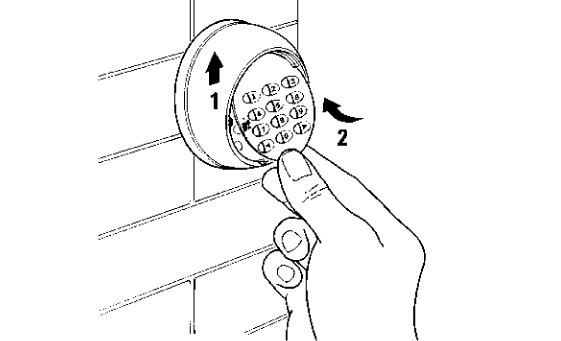
2. Installing the keypad
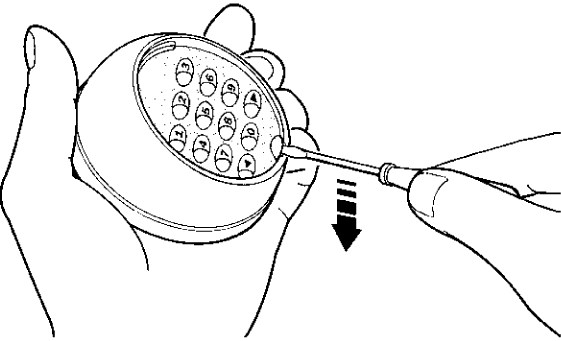
| 1. Remove the key cover | 2. Mount the keypad on the surface | 3. Reattach the key cover |
|---|---|---|
 |
 |
 |
Using the keypad
The keypad works in the same way as a remote control, except that you must enter a numeric code first. The keypad has two buttons (channels), so you can use it to control two operators, or send two types of commands to one operator.
| Command 1 | Command 2 |
|---|---|
| Enter the code and press the button < | Enter the code and press the button > |
| Factory-set code: 11 | Factory-set code: 22 |
The command will be executed (sent to the operator) only if you enter the correct code. The code must be entered exactly, for example 0422 does not equal 422. There may be no more than 6 seconds between individual key presses.
Changing the code on the NICE MoonTouch MOTX-R digital keypad
| For command 1, the left button < | For command 2, the right button > |
|---|---|
Changing the code for command 1 (example):
|
Changing the code for command 2:
|
If you do not enter a code, you can operate it simply by pressing the button <, or >.
Pairing the keypad with the gate opener
The keypad essentially works like a two-channel remote control, and in Mode II you can assign different functions to the buttons in the same way. See instructions for pairing a remote control with a gate opener:

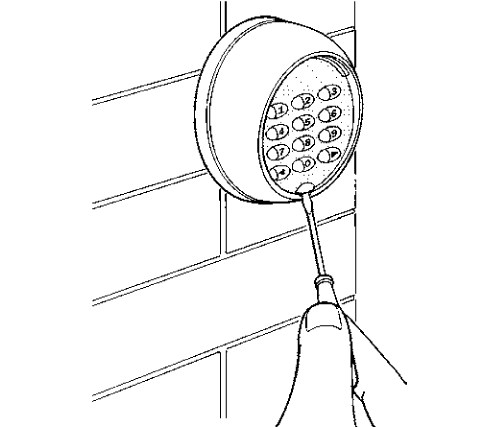
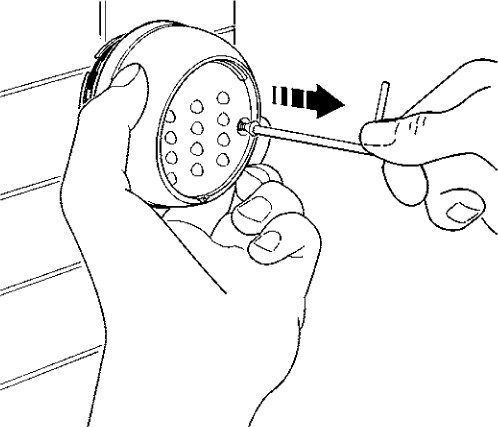
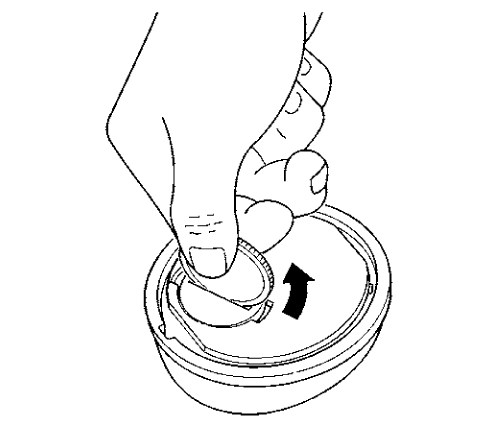
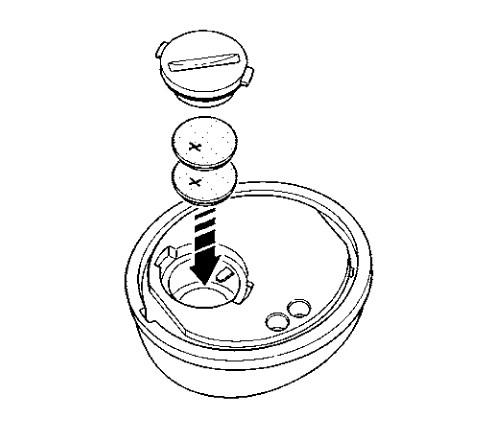
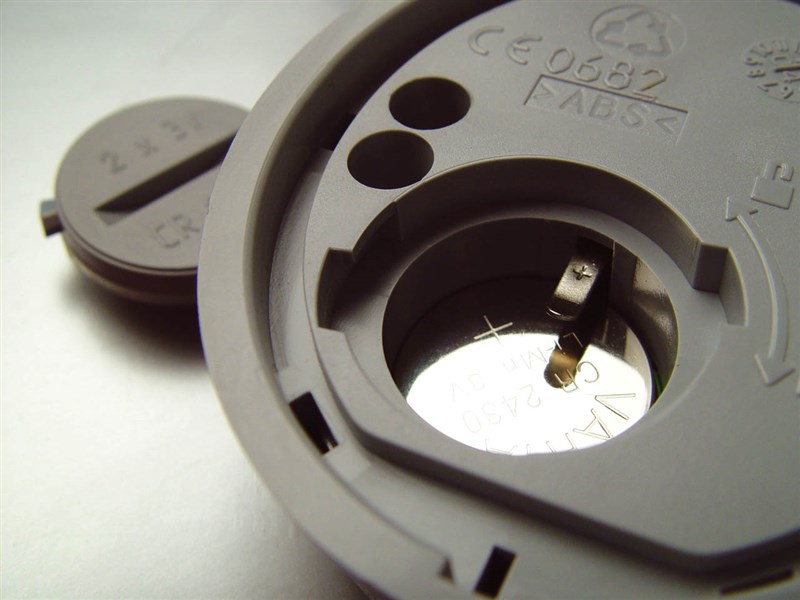
Replacing the battery in the NICE MoonTouch MOTX-R digital keypad
| 1. Pry off the keypad cover with a screwdriver | 2. Unscrew the entire keypad | 3. Open the battery cover with a coin | 4. Replace the battery |
|---|---|---|---|
 |
 |
 |
|
Technical specifications of the NICE MoonTouch MOTX-R keypad
| Frequency: | 433.92 MHz (±100KHz) |
|---|---|
| Number of channels: | 2 buttons |
| Number of digits in the code | 0–8 digits |
| Power supply: | 6V DC; 2 lithium CR2430 batteries |
| Battery life: | approximately 2 years with 10 uses per day |
| Keypad range: |
approx. 200 m outdoors |
| Signal encoding: | Flo-R (52-bit rolling code) |
| Radiated signal: | 1mW ERP |
| Operating temperature: | -20°C to 55°C |
| Protection rating: | IP54 |
| Dimensions: | 75×35×85 mm (W×D×H) |
| Weight: | 150g |
How can I order this item?
Choose the option that suits you:
- order online: use the buy button to add the goods to your shopping cart (you will find the buy button here in the product variants table).
- order by email: place your order at [email protected]






